Creating Work Orders
Work orders are created directly using Work Order Maintenance (16.1). For convenience, you can also create them in Master Schedule Order Maintenance (22.13). The two programs are identical.
Work orders are also created as the result of executing other functions.
• Running MRP generates planned orders. Once approved in Planned Work Order Approval (23.10), these orders can be managed in the Work Orders module.
• Releasing a sales order or service return material authorization (RMA) for a configured item to a work order in Sales Order Release to Work Order (8.13).
• Releasing an RMA receipt line to a work order with RMA Release to Work Order (11.7.1.5).
• Releasing a parent work order for an item with a routable component creates a related work order for the component.
Some work orders are created and managed in other modules. These cannot be updated in Work Order Maintenance.
• Work orders created by entering repetitive schedules are managed in the repetitive module.
• Work orders created to handle customer service activities are managed with Call Activity Recording (11.1.1.13) in the Service/Support Management module and Project Activity Recording (10.5.13) in the Project Realization Management module. Customer services work orders are included on standard work order reports. See User Guide: QAD Service/Support Management for details.
• Work orders created by entering flow scheduled orders in Flow Schedule Maintenance (17.13.3) that do not include references to existing work orders are managed in the Flow Schedule module. See User Guide: QAD Lean Manufacturing.
Work Order Maintenance (16.1)
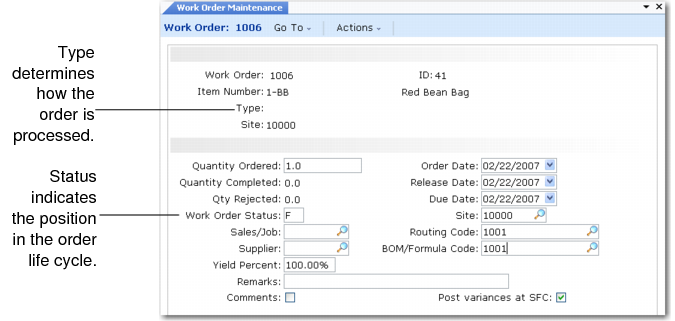
Important elements of a work order include:
• The type, which identifies the source of the order and indicates how it should be processed.
• The status, which determines where a work order is in its life cycle.
• The bill of material (BOM), which lists the quantities of components required to fulfill an order.
• The routing, which lists the operations required to complete the order.
Note: The BOM and routing are also called a process sheet.
These elements are discussed in the following sections.