Managing Scrap
Scrap refers to unusable items. In the manufacturing process, there can be two kinds of scrap:
• Components issued to the work order
• Items built by the work order that are unusable
Component Loss
When additional components are required for a work order because items were lost or unusable, the replacement components should be issued to the work order. This results in an unfavorable material usage variance for the order.
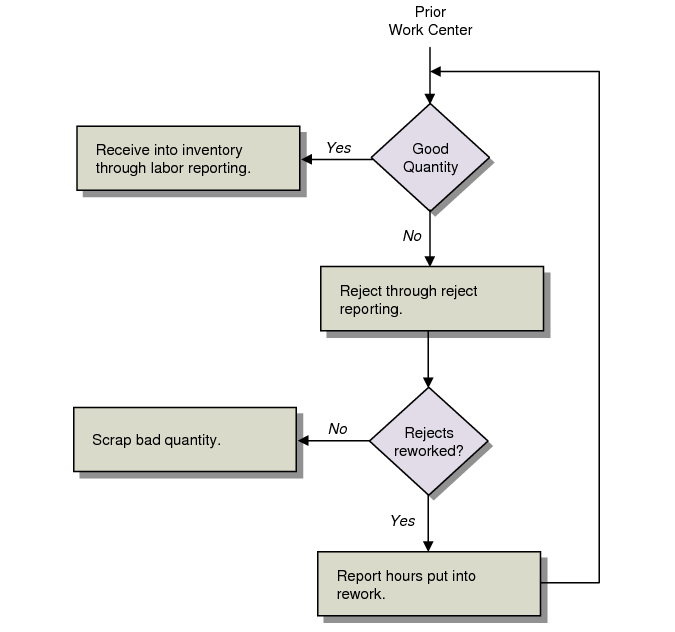
Scrap Cycle
Product Loss
When products are lost during manufacturing, you can record the loss for the work order when it is received. For an operation, you can record the loss using Shop Floor Control, but this is for reporting only. Shop Floor Control creates WO-SCRAP operation history records but does not update the general ledger.
Only units recorded as rejects during work order receipt affect the general ledger, debiting scrap and crediting WIP. You can use Work Order Receipt, Work Order Receipt Backflush, or Work Order Operation Backflush to update the general ledger.
Note: Another way to scrap items is by using an unplanned issue and changing the default account debit account to the Scrap account.
Scrap Quantities by Order
To view scrap quantities by order, regardless of costing method, use Work Order by Order Report (16.3.1); you can also view similar information in the enhanced .NET UI Work Order Browse (16.2).