Accessing the Dashboards
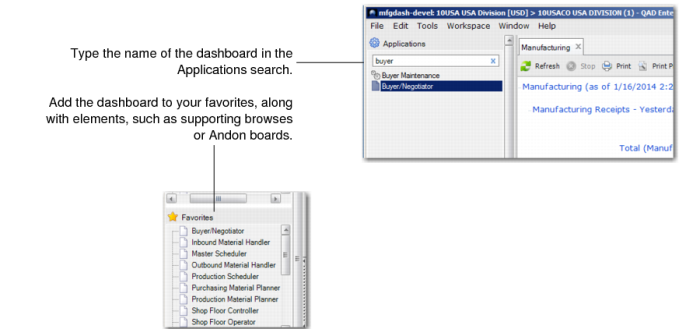
You can access the manufacturing dashboards through QAD EE .NET UI. You can type the partial name of the dashboard until the dashboard displays or all of the dashboard name.
You can also select browses and other elements of the dashboard through the menu system. For example, to see the operational metric for the Purchased Item panel, you can manually find the operational metric folder and select it from the folder.
Once you select a dashboard, you can move it into the Favorites category along with any elements of the dashboard.
Accessing Dashboards
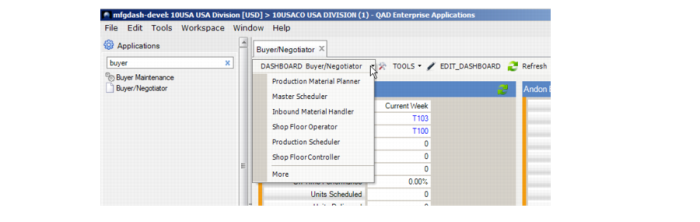
Also, once you select a dashboard and open it, you can then select other dashboards from within the opened dashboards by clicking on the down arrow near the dashboard name. When you right-click on the down arrow, the system displays other manufacturing dashboards.
Accessing Dashboards from within a Dashboard