Backup Progress Property Files
Back up the Progress properties files using the following steps:
1 Back up the ubroker.properties file:
$DLC/properties/ubroker.properties
2 Back up the Connection Manager file:
$DLC/properties/conmgr.properties
Install and Configure Software
Install QDT
Install the latest version of QDT that includes conversions. A separate QDT download that includes conversions is required because the conversion software is not deployed on the QAD Enterprise Edition media.
See Installation Guide: QAD Enterprise Edition - Progress Database for more information on QDT installation.
Install QAD Enterprise Edition
Using the latest QDT version that includes the upgrade and conversion software, install Enterprise Edition. See Installation Guide: QAD Enterprise Edition - Progress Database for detailed QAD Enterprise Edition installation information.
Note: If the QADHOME and QADUI default values were altered during the original Enterprise Edition installation, use System Default Settings on the Main QDT toolbar to verify that the values for QAD User Interface Home and Name are correct.
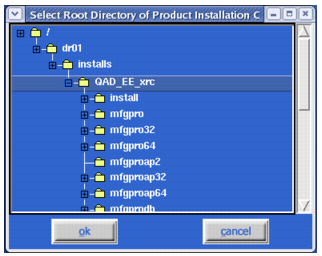
Installation Location Selection
Note:
QDT and QDTAdmin must run on an X Window/VNC Server.
The QAD Enterprise Edition patch level could require updating. See Patch Deployment: QAD Enterprise Edition for more information.
Do not run the Configure QAD EE option during a conversion. It is only required when doing a clean install with no conversion planned.