QDT Features
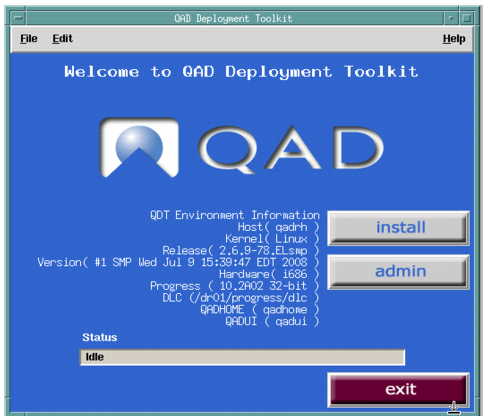
The QAD Deployment Toolkit contains information about the current host including the operating system and currently installed Progress, Java, and Tomcat versions.
QAD Deployment Toolkit Main Screen
QDT has two modules:
• Install
The Install function moves files from the product delivery media onto the target host drive. Within the Install module, you can select a default or custom install. A default installation uses the default configuration values without modification to automatically install QAD Enterprise Edition. A custom installation requires manual intervention to modify one or more default configuration values when installing QAD Enterprise Edition.
• Admin
Admin completes the installation process and provides tools for updating and configuring the products that QDT installs. When the install is complete, you use the Admin function to create databases, compile application code, and create server start and stop scripts for the installed products.
Note: The Admin function is similar to what was formerly called MFG/UTIL in previous QAD application versions.
Important: Although the process used with MFG/UTIL is similar, it is not valid for this install. Continue reading this guide for instructions.
Each of the functions is accessed by clicking a button on the QDT main screen.
To view information about the host machine on which QDT is installed, select Edit|Preferences.