|
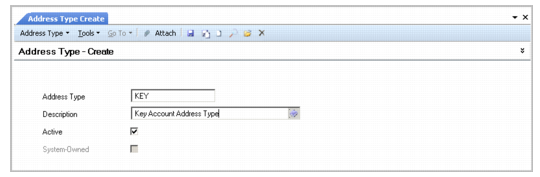
Address Type
|
Description
|
|
Ship-To
|
Address for receipt of goods and services. This address type is automatically associated with addresses created in the Ship-To Create activity. A business relation can have multiple ship-to addresses.
|
|
Dock
|
Specific location within a ship-to address for receipt of goods. Docks are associated with customers or customer ship-to addresses and used in shipping functions. When you create a dock in Dock Maintenance (7.3.3), you must select a dock address type. A business relation can have multiple dock addresses.
|
|
Enduser
|
Address associated with a customer where service for purchased items is delivered. This address type is automatically associated with addresses you create in End User Create. End users are referenced in the optional Service/Support Management module. You define additional SSM data in End User Data Maintenance (11.9.1). A business relation can have multiple enduser addresses.
|
|
Headoffice
|
Main address of a business organization, and the only address type that is required. You select this address type for records related to your own company, such as your entity address and site, location, salesperson, and employee addresses, as well as for external organizations, such as customers, suppliers, banks, and carriers. Each business relation must have one and only one headoffice address.
|
|
Reminder
|
Address where reminder letters are sent, if this is different than the headoffice address. Each business relation can have only one reminder address. This address type is used only in AR financial functions.
|
|
Remittance
|
Address where payments are sent if it differs from the headoffice. Each business relation can have only one remittance address. This address type is used only in AP financial functions.
|
|
Substitution
|
Address type used to link a company address with the state tax ID and tax zone.
In QAD EE, a tax zone can only have one state tax ID specified. However, in countries where substitution tax applies, multiple IDs may be required in cases where a company is issuing goods or services to multiple states, and each state has its own tax ID.
To set up substitution tax, define a Substitution address type in the business relation and link it to the state and the state tax ID.
|