Creating a Posting Template
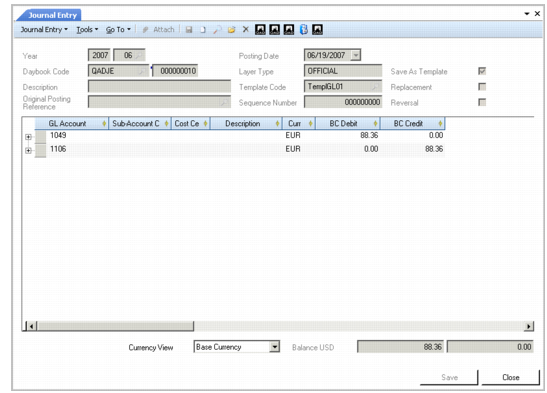
Create posting templates from existing journal entry posting lines by selecting the Save as Template option on the Journal Entry screen, entering a code that identifies the template, and clicking Save.
If you use a daybook linked to a transient layer, you can review the template details before posting the transactions to the official layer. When you have verified the template, you can then change the daybook type to official.
Saving a Journal Entry as a Posting Template
Click the lookup in the Use Template field to select and load a template for use in a journal entry.
The system records the number of times each template has been used.
Note: You cannot select a template with a daybook type different than that of the current posting. For this reason, the Daybook Type filter is read-only.