Deleting Self-Bills
You can use Self-Bill Maintenance (27.6.12.1) to delete an entire self-bill or a specific self-bill line. When a self-bill or a self-bill line is deleted, any shipment-invoice cross-reference records associated with it are released and the invoice lines can be selected on another self-bill. See
Shipment-Invoice Cross-Reference Report.
Note: A self-bill or self-bill line cannot be deleted if the self-bill has been confirmed.
To delete a self-bill line:
1 Select the self-bill that has the line you want to delete.
2 In the line selection frame, select the line to delete.
3 Press Delete.
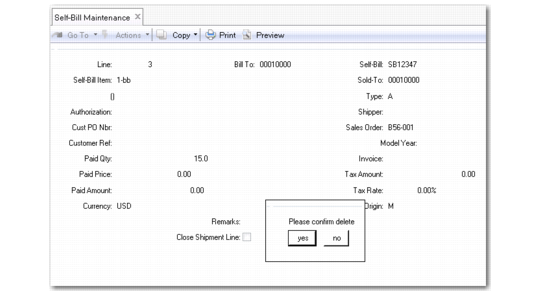
4 The self-bill line detail frame and a delete confirmation prompt appears.
Self-Bill Line Detail Frame and Delete Line Confirmation Prompt
5 Choose Yes to delete the selected line.
To delete an entire self-bill:
1 In the maintenance header, select the self-bill to delete. Press Next.
2 When the second set of fields are highlighted, press Delete.
3 You are prompted to continue with the deletion. Choose Yes to delete the selected self-bill.