Unconfirming Self-Bills
Use Self-Bill Unconfirm (27.6.12.8) to reverse the actions of Self-Bill Confirm. You cannot unconfirm if the final self-bill was automatically or manually paid. In the case of manual payments processed—for example, using banking entry—you must reset these payments to a bounced status before unconfirming the self-bill.
Note: You cannot bounce automatic payments that have a status of Paid.
Self-bills cannot be unconfirmed if:
• Prepayments created as part of the self-bill process have been matched to other invoices or credit notes.
• The date entered is not in a valid, open GL period.
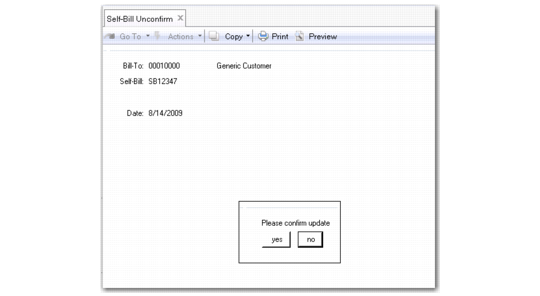
Self-Bill Unconfirm (27.6.12.8)
To undo a payment:
1 Enter the Bill-To and self-bill number
2 Enter a date for the Unconfirm. This date is also used as the posting date for the transactions that result from this activity.
3 Choose Next.
4 You are prompted to confirm the update. Choose Yes to unconfirm the self-bill.