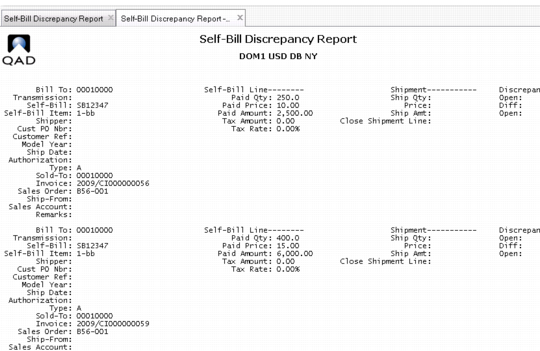
Self-Bill Discrepancy Report
Use Self-Bill Discrepancy Report (27.6.12.10) to view discrepancy details associated with a self-bill document. Use the details provided by this report to reconcile discrepancies in self-bills. This report shows the three types of discrepancies that prevent you from applying payment to a self-bill.
• Discrepant Lines: Lines matched to invoice shipment data where the invoice shipment data has an open quantity, an open amount, or a price difference.
• Adjustment Lines: Lines marked with a type A. These lines could not be matched when the self-bill was originally created.
• Lines Not Matched: Lines that can be matched to invoice shipment data, but for some reason were not. These are marked as type blank.
Self-Bill Discrepancy Report (27.6.12.10)
For each self-bill, the discrepancy total is displayed first, followed by the detailed sub-totals by reason for each account. These amount details can be used to create discrepancy memos to apply credit to the proper accounts. The discrepancy memo must be created and registered with the self-bill in order to apply payment to the self-bill.
Discrepancies can occur for various reasons, such as the following:
• Differences between quantities shipped and received
• Unit price differences
• Special (trailer) charges in your invoices not included in the customer self-bill
• Special charges included in the customer self-bills but not included in your invoices
Use this report as reference for reporting any discrepancies to the customer.