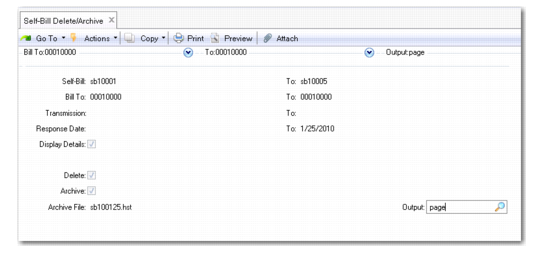
Self-Bill Delete/Archive
Self-Bill Delete/Archive (27.6.12.23) is very similar to other delete/archive functions. It can copy (archive) or remove (delete/archive) closed records from your database. Archived self-bills can be returned to a database using Archive File Reload (36.16.5).
Only fully paid self-bills within the specified range are deleted. Cross-reference records are also deleted/archived using this function. Cross-reference records are deleted only when no open invoices or self-bills are still linked to them.
Self-Bill Delete/Archive (27.6.12.23)
Response Date
Enter the date range (first and last) when any discrepancies must be reported to the customer. You define a response for self-bills during Self-Bill Maintenance.
Display Detail
Select to display complete self-billing information in the Delete/Archive report. Otherwise, the report lists the following information only: Self-Bill, Bill-To, Transmission, Amount Total, Currency, Response, Check
Delete
Select to delete the specified information from the system.
Archive
Select to archive the specified self-bills on tape or other storage media. You must first select the Delete field in order to create an archive.
If you do not select the Archive field, any information you delete during this process cannot be recovered. When you select this field, the name of the archive file is displayed on the screen.