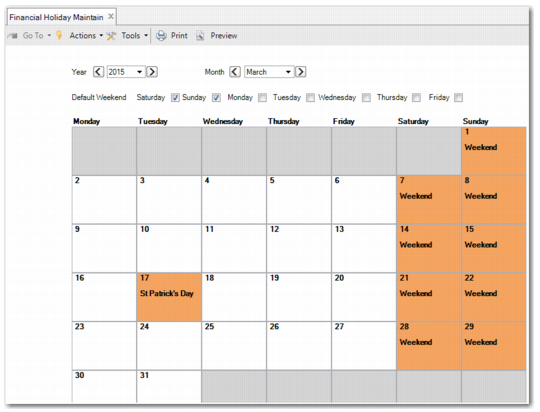
Financial Holiday Maintenance
Before creating a billing schedule, you need to ensure that billing due dates never fall on a non-work day. Financial Holiday Maintenance (36.2.7) enables you to specify financial administration holidays at entity-level.
To set a date as a holiday in the calendar, use the Year and Month fields to navigate to the relevant date. In the calendar, click the date and enter a description of the holiday. The Set As Holiday field is then automatically selected.
The program is designed to enable you to input all holidays for the year at the same time. Therefore, if you make changes to holidays in a particular year and try to change year without saving, a message is displayed asking you to save your data before you switch year.
Note: You can set a weekend day as a working day. The default weekend days can only be set when you are creating a calendar for a given entity and year. After you have created the calendar, you can only change the weekend days manually, week by week.
Financial Holiday Maintenance