Allocate to Payment
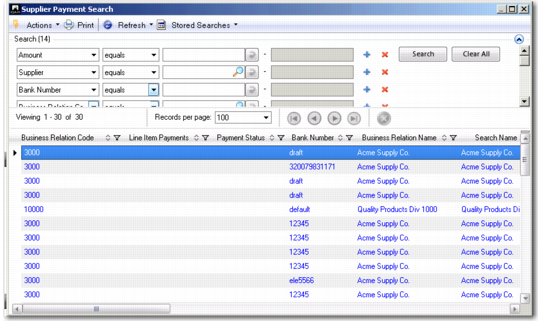
Use this allocation method to allocate the entry to a customer or supplier payment. The system displays a browse where you can specify additional payment search criteria.
Note: You can only allocate payments with a status of For Collection to a bank statement line.
Supplier Payment Search
The system retrieves customer payments for entries into the account, and supplier payments for entries out of the account.
Select a payment from the results list to which you want to allocate the entry amount.
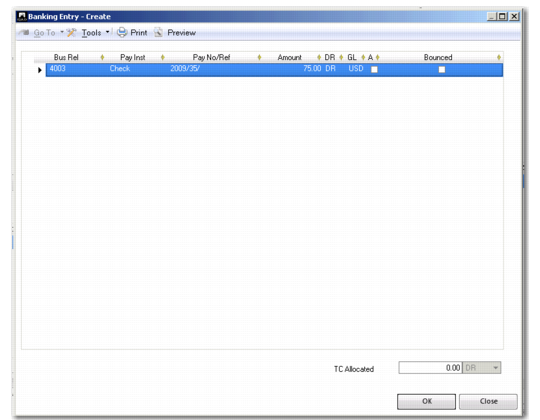
Banking Entry, Allocate to Payment
Field Descriptions
Bus Rel
This field displays the business relation associated with the customer or supplier.
Payment Instrument
This field displays the payment instrument.
Pay No/Ref
This field displays the payment number and reference, if any.
Amount
This field displays the customer or supplier payment amount.
DR/CR
This field indicates that the payment is a credit or debit.
GL Currency
This field displays the currency in which the payment was created.
Allocated
Select this field to allocate the payment amount.
Bounced
Select this field to indicate that this is a bounced payment. Bouncing a payment has the effect of reversing the original posting on the customer or supplier payment and control accounts, and it also re-opens all the invoices paid in this payment.