Invoice Status Codes
Use the Invoice Status Code activities (36.1.11) to create, modify, view, and delete codes used to:
• Manage the approval, allocation status, and payment of invoices for suppliers.
• Identify contested invoices for filtering reports and managing finance charge calculation for customers.
• Associate a default invoice status with each customer and supplier record.
Invoice status codes are primarily used with suppliers. You approve supplier invoices and release them for payment by modifying the invoice status code applied to the invoice. You also control when and how postings occur by specifying an invoice status code with a different allocation status.
The allocation status is typically changed after receiver matching, and you can specify the status the system should use after matching by linking two codes together. This linking is used to provide defaults during the processing of supplier invoices when receiver matching is done as a separate step. The defaults can be changed as needed.
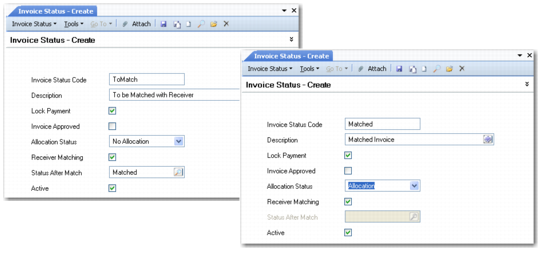
The following figure shows two status codes: one before matching, and one after. The first code references the second.
Linked Status Codes
Note: When you define linked status codes; you should work backwards. Define the after matching codes first so they are available when you create the before matching codes. Alternatively, you can use the Go To function to create a second code while you are creating the first.