Verifying Transactions
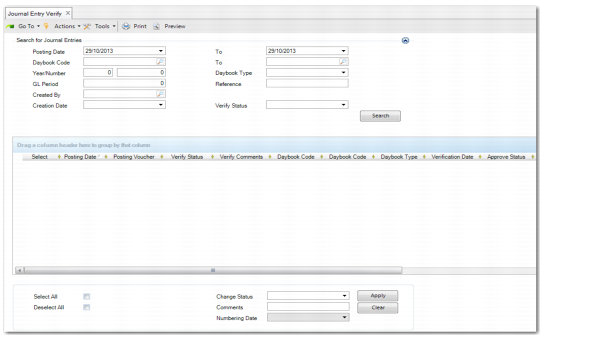
Use Journal Entry Verify (25.13.1.7) to assign a verification status and your user name to one or more transactions.
Note: You cannot verify any transactions that you created.
To verify transactions:
1 Specify values in the selection criteria fields to identify the transactions you want to verify.
2 Click Search, and the transactions that meet the specified criteria are listed in the grid.
3 Under the Select column, select check boxes for the transactions with a verification status you want to change.
Click Clear to remove unselected transactions from the grid.
4 Do one of the following:
• To verify one selected transaction, change its verification status in the Posting Verify Status column.
• To verify a group of selected transactions, choose a verification status in the Change Status drop-down and click Apply.
5 Optionally, under the Posting Verify Comments column, enter comments for the transactions you verify.
6 Click Save.
Journal Entry Verify