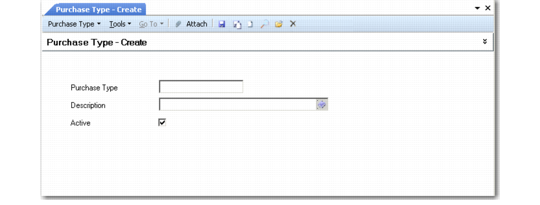
Purchase Type
Use the Purchase Type activities (28.20.3) to create, view, modify, and delete codes for grouping supplier invoices for reporting, letting you track your cash expenditures for different types of expenses. For example, use EX for miscellaneous expenses and PO for purchases of raw materials or components.
You must use at least three purchase codes—for Rents, Royalties, and Non-Employee Compensation—if you are submitting 1099 tax reports. Each of these categories is summarized into a different box on the 1099 report.
Purchase Type Create
Field Descriptions
Purchase Type
Enter a code (maximum four characters) that identifies a purchase type.
Description
Enter a brief description (maximum 40 characters) of the purchase type. You can optionally enter descriptions in more than one language. For more information on the Translation Option, see
Introduction to QAD Enterprise Applications User Guide.
Active
Indicate if this is an active record.