QAD Enterprise Edition
>
Installation-Conversion
>
Progress Conversion Guide
>
Conversion Execution
>
Back Up Progress Property Files
Back Up Progress Property Files
Back up the Progress properties files using the following steps:
1 Back up the ubroker.properties file:
$DLC/properties/ubroker.properties
2 Back up the Connection Manager file:
$DLC/properties/conmgr.properties
Install and Configure Software
Install QDT
Install the latest version of QDT that includes conversions. A separate QDT download that includes conversions is required because the conversion software is not deployed on the QAD Enterprise Edition media.
For more information on QDT installation, see
QAD Progress Database Installation Guide.
Install QAD Enterprise Edition
Using the latest QDT version that includes the upgrade and conversion software, install Enterprise Edition. For detailed information about QAD Enterprise Edition installation, see
QAD Progress Database Installation Guide.
Note: If the QADHOME and QADUI default values were altered during the original Enterprise Edition installation, verify that the QAD User Interface Home and Name values are correct. Use System Default Settings on the Main QDT toolbar to verify the values.
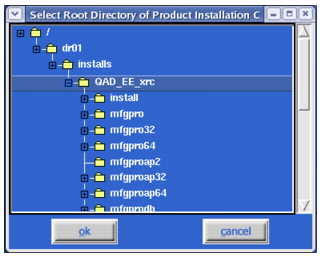
Installation Location Selection
Note:
QDT and QDTAdmin must run on an X Window/VNC Server.
The QAD Enterprise Edition patch level could require updating. See QAD Enterprise Edition Patch Installation Guide for more information.
Do not run the Configure QAD EE option during a conversion. It is only required when doing a clean install with no conversion planned.