Exporting Audit Policy
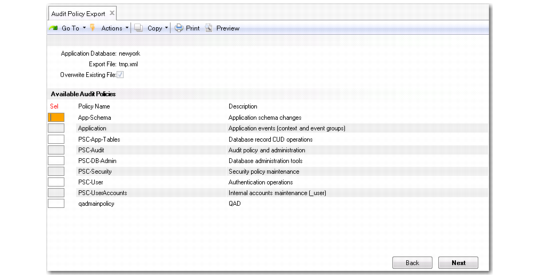
You can export current audit policies to Progress policy XML files using Audit Policy Export (36.12.13.2).
Audit Policy Export (36.12.13.2)
To export to an audit policy file, specify the following:
Application Database
Select one of the applications databases. (If the database selected is not enabled for auditing, you will get an error message.)
Export File
Specify the name of the Progress policy XML file to which you want to export the audit policy.
Overwrite Existing File
Specify whether you want to overwrite an existing Progress policy XML file.
Click Next and the system lists all the current audit policies. Use the up and down arrow keys to scroll through the list of policies. Use the space bar to select the policies you want to export. An asterisk symbol (*) displays at the front of the row of each policy you select. Click Next (or in the Character UI, press F1) and the system prompts you to export the selected policies to the export file you have specified.