Exporting and Importing Roles and Permissions
The default roles available in the system are loaded from the file defaultroles.xml during the initial install or as part of a system synchronization or update.
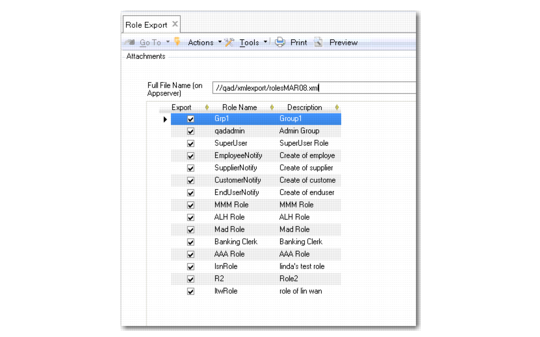
Use Role Export (36.3.6.11) and Role Import (36.3.6.12) to export and import roles, their descriptions, and permissions as .xml files. The function requires the full file name and location on the application server for the file to be exported or imported. The Import function uses synchronization logic to replace defaultroles.xml with the imported file.
The system displays an error message if the file name extension is incorrect, and a confirmation message when the export or import has completed successfully.
Role Export
Role Export
Full Filename (on Appserver)
Specify a name and path for the exported file. You must use the XML file extension.
Select the roles to be exported and click Export.