GL Coding Structures
Objectives
GL Analytical Coding Segments
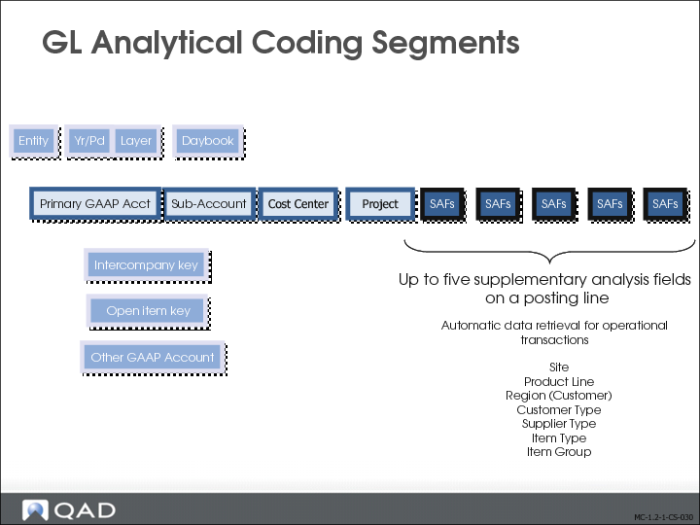
To support different types of reporting and analysis, some GL accounts can be used in combination with sub-accounts, cost centers, and projects. These elements provide greater granularity in financial reporting. You can list balances for sub-accounts and cost centers separately, or summarize them under account codes.
Supplementary Analysis Fields (SAFs) provide reporting data on specific areas within GL accounts, cost centers, or projects. They are typically used to track the volume of sales or purchases of a product in a region in a given period.
Transactions are recorded in daybooks, which can enable temporary postings through links to accounting layers. The Chart of Account (COA) mask lets you combine accounts, sub-accounts, cost centers, and projects in a predefined posting framework.
The following table lists the valid combinations of GL accounts and analysis elements:
| Account Type | Sub-Acct. | Cost Center | Project | SAF |
Standard Accounts | Bank Account | Yes | No | No | No |
Cash Account | Yes | Yes | Yes | Yes |
Closing Account | Yes | No | No | No |
Cross-Company Account | No | No | No | No |
Customer Control Account | Yes | Yes | Yes | No |
Customer Payment Account | Yes | Yes | Yes | Yes |
Fixed Assets Account | Yes | Yes | Yes | Yes |
Inventory Control Account | Yes | Yes | Yes | Yes |
Open Items Account | Yes | Yes | Yes | Yes |
Standard Account | Yes | Yes | Yes | Yes |
Supplier Control Account | Yes | Yes | Yes | No |
Supplier Payment Account | Yes | Yes | Yes | Yes |
Tax Account | Yes | No | No | No |
WIP Control | Yes | Yes | Yes | Yes |
System Accounts | | | | | |
Auto Balance | | No | No | No |
PO Receipts | Yes | Yes | Yes | Yes |
Realized Exchange Gain | Yes | No | No | No |
Realized Exchange Loss | Yes | No | No | No |
Result of Current Year | Yes | No | No | No |
Result of Previous Year | Yes | No | No | No |
Rounding Differences | Yes | No | No | No |
Unmatched Invoices | Yes | No | No | No |
Unrealized Exchange Gain | Yes | No | No | No |
Unrealized Exchange Loss | Yes | No | No | No |
GL Analytical Coding Segments Update
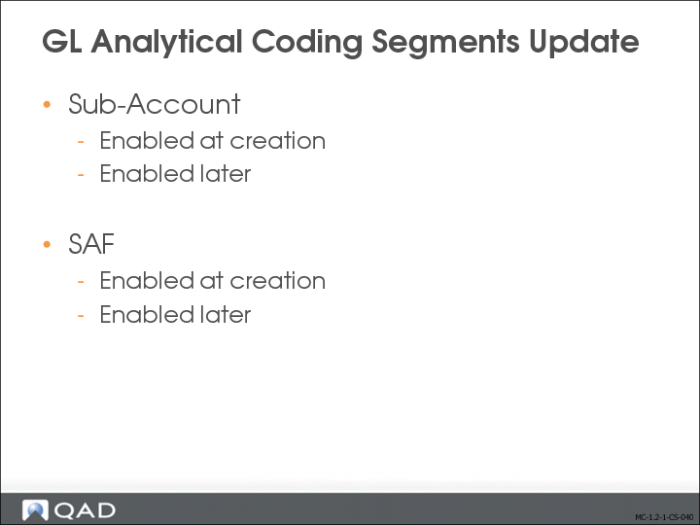
When creating GL accounts, you set the analytical parameters for the account on the Analysis tab in GL Account Create. When you define analysis for an account, you can specify the individual sources or targets for transaction amounts, such as cost centers or SAFs.
Important: After you have saved account setup data and used the account in postings, you can change the account setup to add extra analysis (project or cost center), but you cannot remove analysis. You can change the analysis limitation setting at any time.
You can also enable cost center and project analysis to analyze account entries. For accounts used in Financials transactions, you can change the analysis limitation setting to use the new values without restriction. However, you can encounter issues if you have changed the analysis limitation settings for GL accounts used in unposted operational transactions.
It is recommended that you post all operational GL transactions prior to changing the GL account analysis limitation.