QAD 2016 Enterprise Edition Training Guides
>
Financials-Advanced
>
Logistics Accounting
>
Setting Up Outbound Logistics Accounting
Setting Up Outbound Logistics Accounting
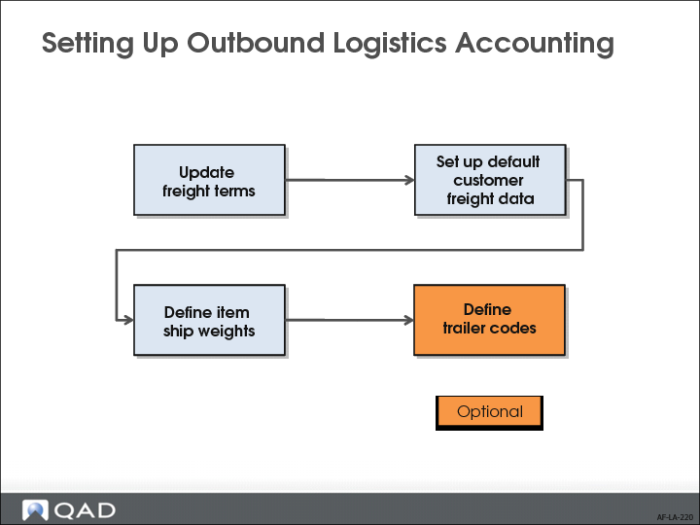
After you have defined outbound accrual, expense, and variance accounts, and assigned them to logistics charges, you can begin the setup for outbound logistics charges.
The required setup involves updating freight terms, customer defaults, and item details. If you use freight terms that involve trailer codes, you also need to create these and configure order defaults.
Updating Freight Terms
Freight terms are set up in Freight List Maintenance (2.20.1), Freight Zone Maintenance (2.20.4), Freight Charges Maintenance (2.20.10), and Freight Terms Maintenance (2.20.13).
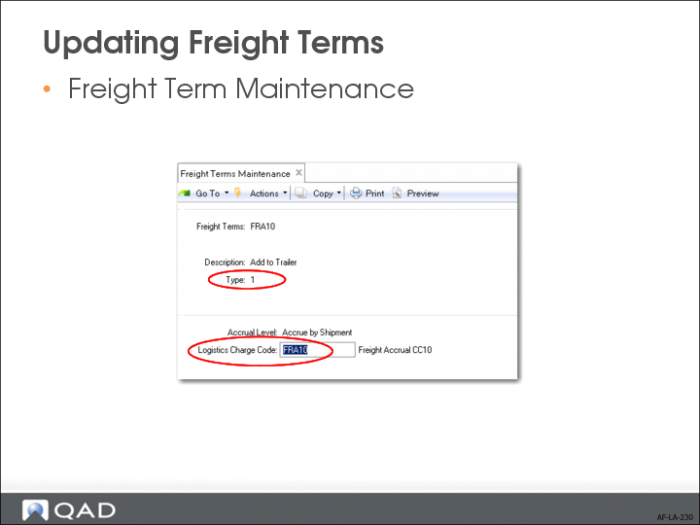
When updating freight terms for Logistics Accounting in Freight Terms Maintenance (2.20.13), assign a logistics charge to each freight terms with an accrual level. The system uses the type code to determine whether freight charges are accrued and, if so, at what level.
• Type 1 (Add) and 2 (Allow): Logistics charges are accrued for the entire shipment.
• Type 3 (Prepaid) and 5 (Include): Logistics charges are accrued for each line item.
• Type 4 (Collect) and 6 (Will Call), logistics charges do not accrue. A logistics charge cannot be assigned to either of these freight terms.
When logistics charges are accrued by shipment or by order line, you must assign the logistics charge code used to track the logistics charges incurred and payable to a third-party carrier.
For more details on how to set up freight terms, see
QAD Master Data User Guide.
Setting Up Default Customer Freight Data
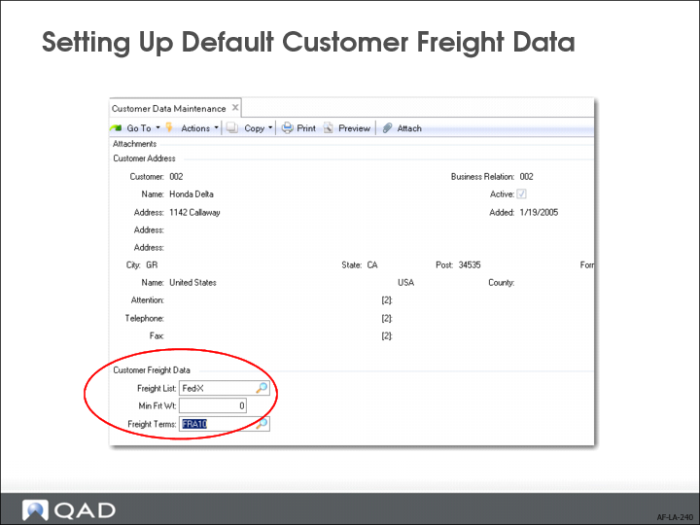
To facilitate data entry and minimize errors, it is recommended that you set up default freight data for each customer. The data you set up in Customer Data Maintenance (2.1.1) will default on orders, but can be updated.
Set Up Freight Lists
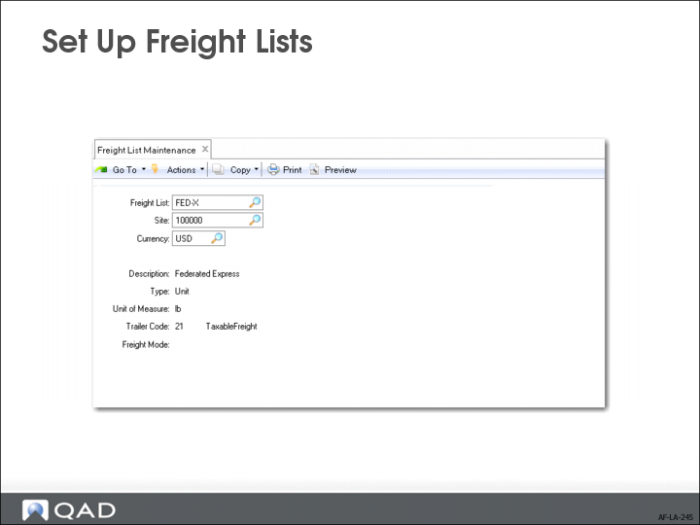
Use Freight List Maintenance (2.20.1) to define charges that apply to sales quotes, orders, and RMAs. Typically, you need at least one freight list for each shipping company you use. More than one freight list can be needed if the shipping company supports different types of transportation. For example, a shipping company might ship by train, by truck, by refrigerated truck, and by regular semi-trailer.
Set up freight lists for different currencies if your shipper delivers to other countries. You can also define lists per site if the same shipper transports from more than one warehouse or manufacturing site.
Type.
Specify whether freight charges are based on the weight of each unit or on the total weight of the items that use this freight list. Valid entries are:
• Unit: Freight charges are calculated for individual units based on each unit’s shipping weight.
• Bulk: Freight charges are calculated based on the total weight of applicable items. Weight is calculated for each order line as the unit weight multiplied by the line item quantity.
Trailer Code
This value links a freight list with the appropriate GL account to use when charging amounts on the sales quote, sales order, or pending invoice trailer.
Note: If the trailer codes you associate with freight lists are not the same as the default trailer codes in Sales Order Accounting Control (36.9.6), you must set Use SO Freight List Trailer Code to Yes in Sales Order Accounting Control. Otherwise, errors display and freight is not calculated in order maintenance programs.
Freight Mode
An optional code that can be used to describe the transportation method. Define values in Generalized Codes Maintenance (36.2.13) for field fr_mode.
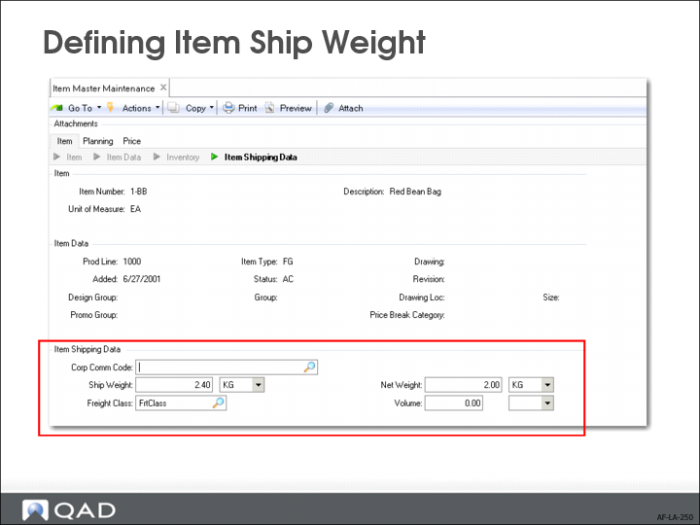
Defining Item Ship Weight
Where necessary, update the item records of items you are shipping and receiving to specify the ship weight. Use Item Master Maintenance (1.4.1).
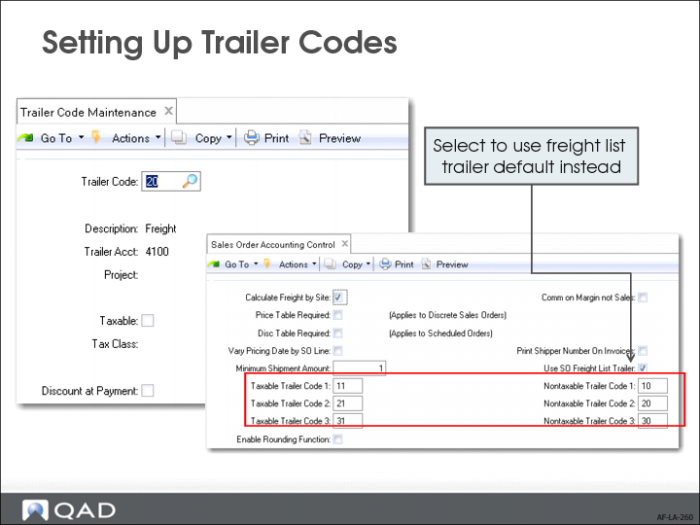
Setting Up Trailer Codes
If you use freight terms that involve trailer codes, those need to be set up in Trailer Code Maintenance (2.19.13).
Once established, the three most frequently used taxable and nontaxable trailer codes can be specified as defaults in Sales Order Accounting Control (36.9.6). These defaults display on the trailer of every order, but can be changed manually.
You can also associate a trailer code with freight lists. If you want this trailer code to be used rather than the ones defined in Sales Order Accounting Control, you must set Use SO Freight List Trailer Code to Yes in Sales Order Accounting Control (36.9.6).
For more details on setting up trailer codes, see the
QAD Master Data User Guide.