Define Report Cubes
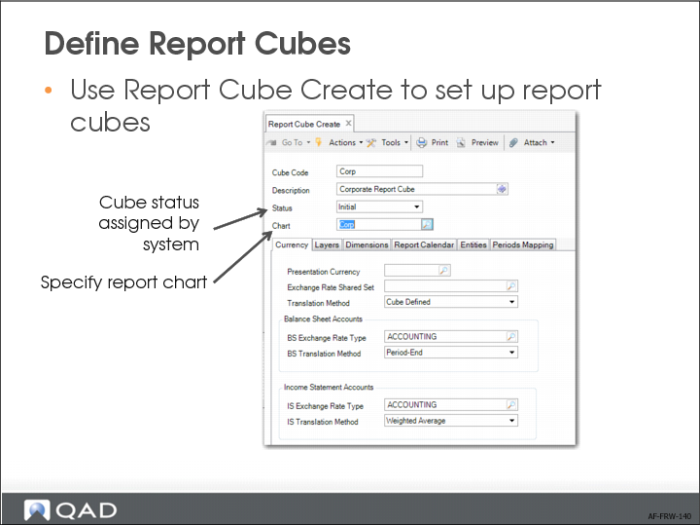
Use Report Cube Create to set up report cubes.
New cubes are assigned the status Initial. When you generate the cube data (using another program), the system updates the cube status to Operational. If the cube generation fails, the daemon process to update the cube fails, or the cube definition is changed, the cube status is automatically updated to Needs Rebuild. If the cube rebuild is successful, you can change the cube status back to Operational.
If you no longer need the cube, you can change its status to Inactive. This means the cube is retired. You can change the status of inactive cubes back to Needs Rebuild. Only Operational cubes can be updated by the daemon.
In the Currency tab, specify the presentation currency for the reports and the exchange rates to use.
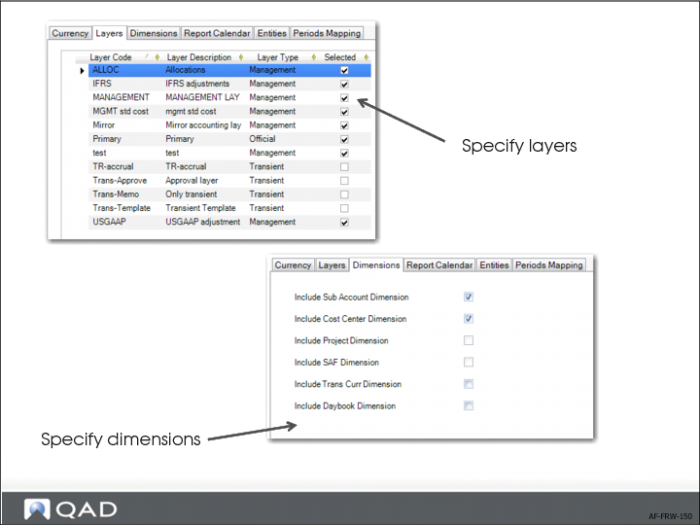
In the Layers tab, specify the layers to include in the cube. You can exclude layers you do not want to include in the reports; for example, the transient layers used for storing posting templates. You can also create a cube for management reporting that includes management layers and another cube for statutory reporting that only includes the official layer. You can also filter out layers later in the report definition, but this can have a negative impact on performance.
In the Dimensions tab, specify the dimensions to include in the cube. Select the relevant fields to indicate which dimensions to include in the cube. Clear the appropriate fields to exclude dimensions that you do not intend to use, which makes the cube smaller and increases reporting speeds.
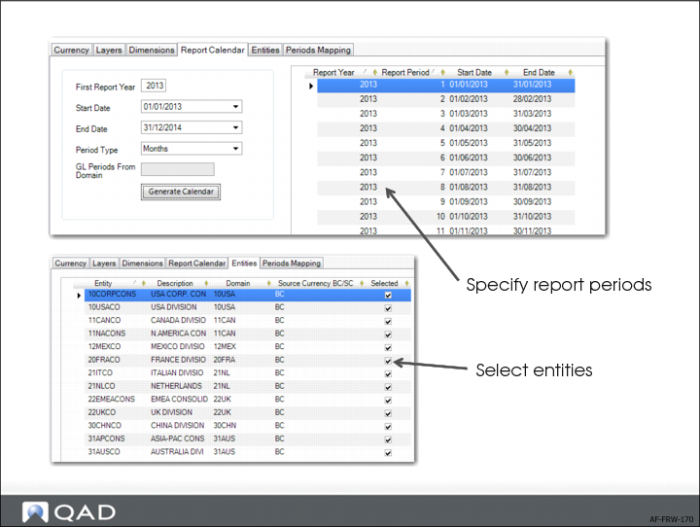
In Report Calendar tab, define the report calendar.
The Entities tab lists the entities that you specified in the report chart. For a new cube, all entities in the report chart are selected by default. Clear the Selected field for the entities that you do not want to include. When you use Report Cube Modify to modify a cube definition, only the entities that were selected previously are selected. Therefore, if you add an entity to the report chart after the cube was created, the additional entity displays in Report Cube Modify as unselected.
Note: You must specify at least one entity for each cube. Otherwise, you cannot save the cube data.
If you remove an entity, the period mapping for that entity in the Periods Mapping tab is automatically removed. The process of adding an entity does not automatically add the period mapping. You must do this manually in the Periods Mapping tab.
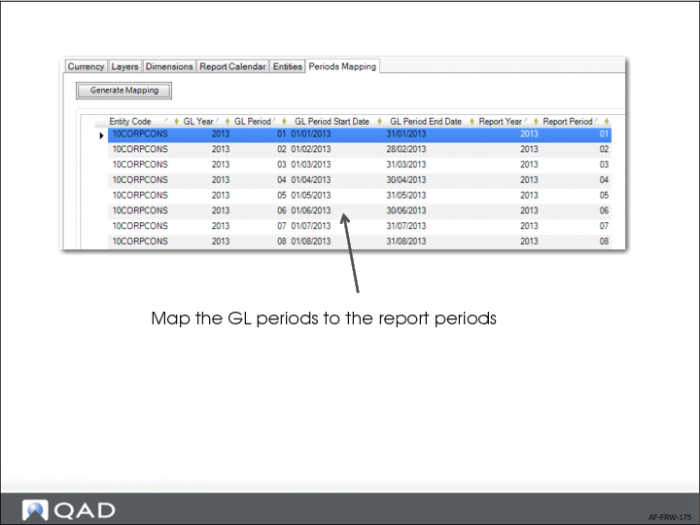
In the Periods Mapping tab, click Generate Mapping to map the GL calendar to the report calendar for all report periods specified in the Report Calendar tab. The GL periods of the source entities are mapped to report periods. Based on the start and end dates, the system assigns a default mapping proposal. However, you can modify the default mapping. The start and end dates of the GL periods can be different from the start and end dates of the report periods. A GL period cannot be split over multiple report periods.
Each entity GL period that overlaps with a cube report period is listed on the left of the grid and the corresponding report period is listed on the right of the grid. If a GL period overlaps with two report periods, the report period that has the greatest number of overlapping days with the GL period is kept.
You can freely change the report period year and the number assigned by the system for each entity GL period. You can also delete mapping rows. However, for each report period and entity, there must always be at least one period mapping record.
For a cube that has no data associated with it, click the Generate Mapping button to clear the original mapping data and to generate new mappings. When a cube has associated data, you can only add new report periods; you cannot modify the existing periods. In this case, the Generate Mapping button does not clear the old mapping records. It only appends new mapping records at the end of the mapping. You can only modify these newly added records. When you click the Generate Mapping button again, the newly added records are cleared and replaced by new default period records.