Report Analysis Code Create/Modify
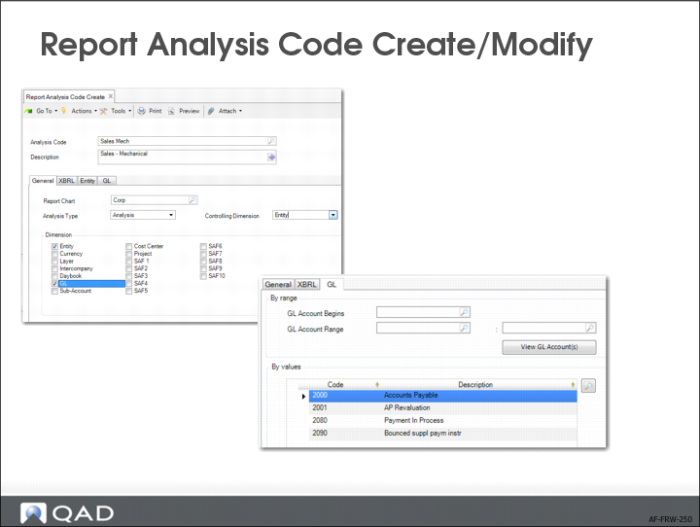
This slide shows Report Analysis Code Modify.
You can use all accounting dimensions and combine them in report analysis codes—entities, GL accounts, sub-accounts, cost centers, projects, layers, daybooks, intercompany, transaction currency, and up to 10 SAF concepts.
You can create a selection using:
• Ranges
• Begins with
• Manually selected codes
Range and begins with are dynamically completed when new accounts are created later on
A report analysis code can also contain fields for XBRL reporting (taxonomy name, ELR, and XBRL element name).
In the General tab, you can also designate a dimension as a controlling dimension. When generating reports, you can generate a report filtered on each value of the controlling dimension, which saves you having to generate each report individually. The drop-down list for the Controlling Dimension field is populated based on the dimensions you select in the Dimension area of the General tab. For example, if you select fields for the GL, Sub-Account, and Daybook dimensions, these three options are available as controlling COA dimensions.
When running a financial report, you can specify an analysis code with a controlling dimension as a Filter Analysis Code to control the bursting. You must also specify Yes in the Report Burst selection field in Financial Report Run. The report run then generates a separate report for each value of the controlling dimension. For example, if the analysis code has a controlling dimension of Entity, the report run generates reports for each entity.