Report Master Create
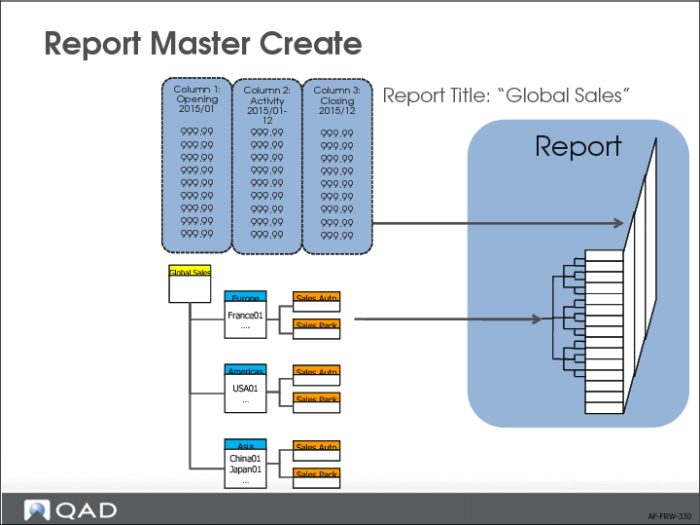
Financial Report Writer produces reports that have variable layouts. The report hierarchy is defined when you create a report tree. The report columns are defined in Report Column Group Create and these two elements are combined in a report master record. The report master also controls a number of general report layout options.
Creating a report master record is also the last step in the setup before you can actually run a report. You can create as many report master records as you need different report layouts. The report tree and the column group components of the report master are linked to a report chart. As a result, the report master is linked to the same report chart as the report tree and column group that are part of the report master.
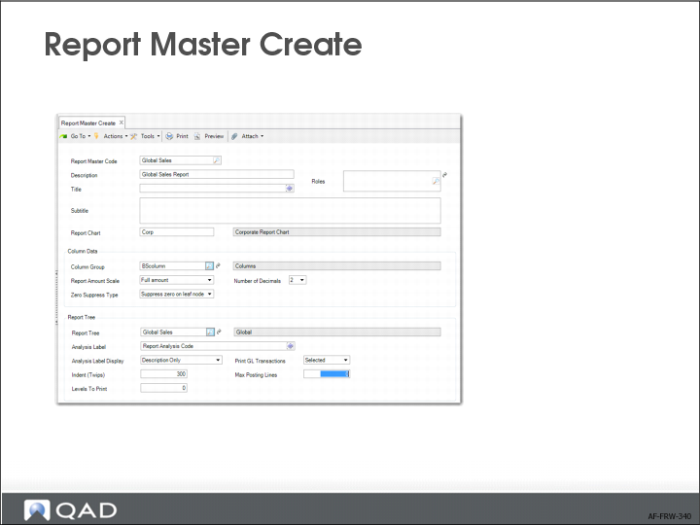
To create a report master, open Report Master Create (25.16.11.1).