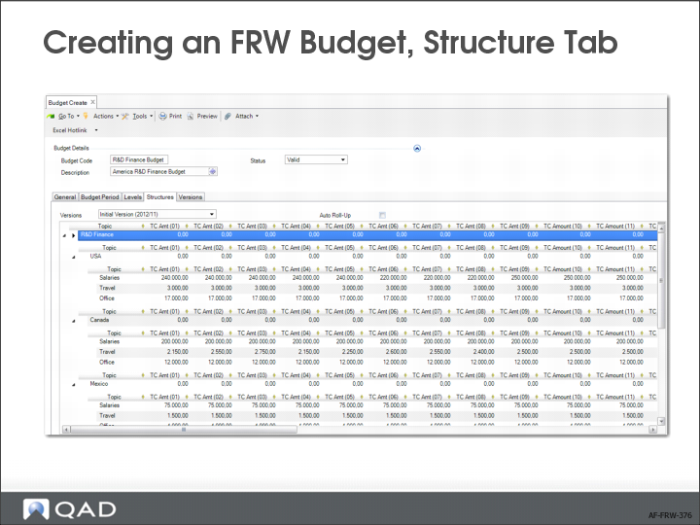
Creating an FRW Budget, Structure Tab
7 Select the Structures tab.
a If you want to create a budget from an Excel file, click the Excel hotlink and navigate to the file you want to use to create your budget. If your budget topic names match existing analysis codes, you can right-click and use the Autolink option on the context menu to automatically associate each topic with an analysis code.
b Alternatively, you can manually add the topics that you want to include in your budget by selecting an analysis code in the Topic field lookup. If, however, you want your topics to have particular labels, enter the text you want to appear in the Topic field. Right-click the line and use the Topic Properties option to link the topic to an analysis code. The Topic label continues to display the original text you entered.
In this simple example imported from Excel, there are three activities to budget for in each entity.