QAD 2016 Enterprise Edition Training Guides
>
Financials-Advanced
>
Screen Customization
>
Screen Customization Prerequisites
Screen Customization Prerequisites
To use Design Mode, you must be assigned access to the Customization activity at either the user, role, or general level. If none of these three activities is linked to any of your roles, the Design Mode option is not available in the Tools menu.
Checking for the existence of a screen customization before displaying each screen requires additional system resources and processing time. If you are not using customizations or some users are not using them, this check can be disabled using a setting that can be defined at both the system and user level.
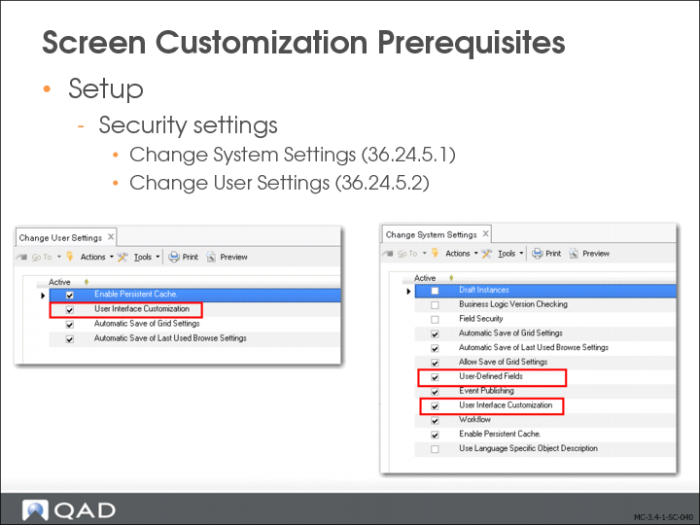
• A system administrator can clear the User Interface Customization setting in Change System Settings (36.24.5.1) to prevent the system from ever looking for existing UI customizations. Users can still use Design Mode—if Design Mode activities are linked to their roles, but customized screens will not be displayed.
• If User Interface Customization is enabled at the system level, each user can clear the User Interface Customization setting in Change User Settings (36.24.5.2) to disable the check for existing UI customizations for themselves. The user can still use Design Mode—if Design Mode activities are linked to their role, but customized screens will not be displayed.
Note: If customization is disabled at system level, individual users cannot enable it.
See
QAD Security and Controls User Guide for more information on setting up role permissions.
Important: In order to perform the screen customizations described in this chapter, you must be assigned the UI design role, which provides you with the relevant role permissions.