QAD 2016 Enterprise Edition Training Guides
>
Financials-Advanced
>
Self-Billing
>
Reversing Self-Bills
Reversing Self-Bills
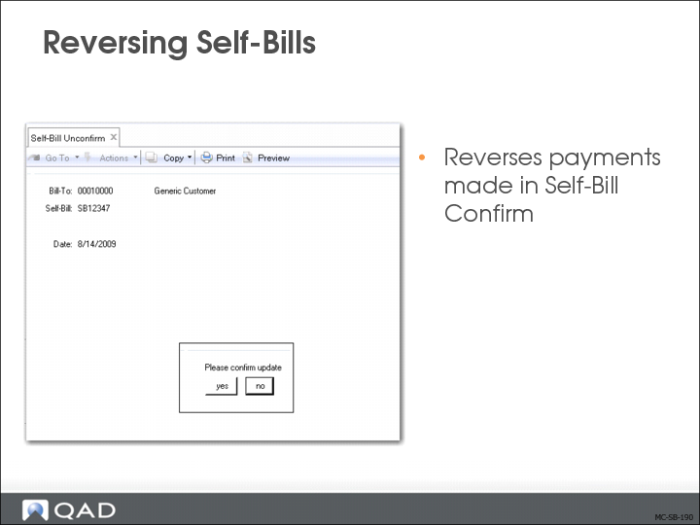
If you need to reverse a payment, use Self-Bill Unconfirm (27.6.12.8). This program reverses payments made in Self-Bill Confirm (27.6.12.7).
Payments cannot be reversed if:
• Unapplied cash related to the self-bill has been used to pay another invoice.
• The payment period is not a valid, open GL period.
See
QAD Financials User Guide for more information on Self-Bill Unconfirm.
Report and Inquiries
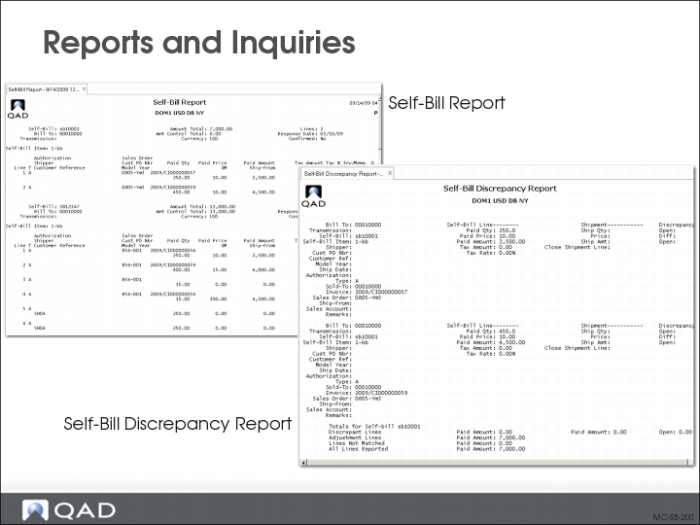
Use Self-Bill Report (27.6.12.13) to review self-bill detail information. Use the selection criteria and sort options to sort and narrow down the information reported.
Use Self-Bill Discrepancy Report (27.6.12.10) to view discrepancy details associated with a self-bill document. Use the details provided by this report to reconcile discrepancies in self-bills. This report shows the three types of discrepancies that prevent you from applying payment to a self-bill.
• Discrepant Lines: Lines matched to invoice shipment data where the invoice shipment data has an open quantity, an open amount, or a price difference.
• Adjustment Lines: Lines marked with a type A. These lines could not be matched when the self-bill was originally created.
• Lines Not Matched: Lines that can be matched to invoice shipment data, but for some reason were not. These are marked as type blank.
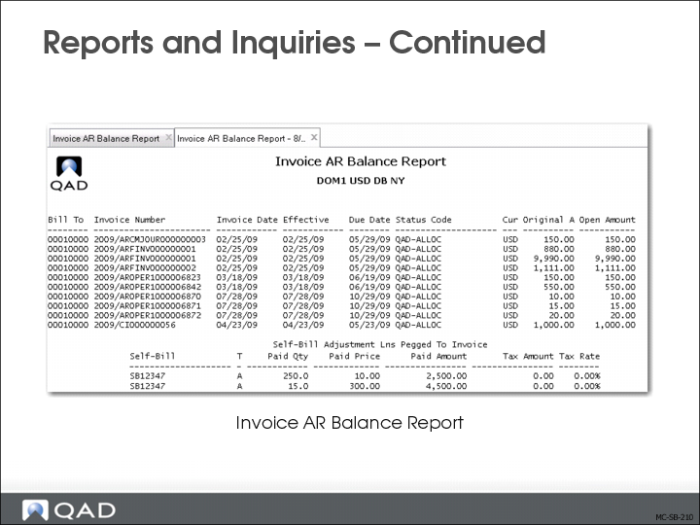
Use Invoice AR Balance Report (27.6.12.11) to determine what portion of invoices referenced by the self-bill have been paid. Internally, the system maintains a map between every self-bill line and an invoice. Applying payment to a self-bill means applying payment to the associated invoices.
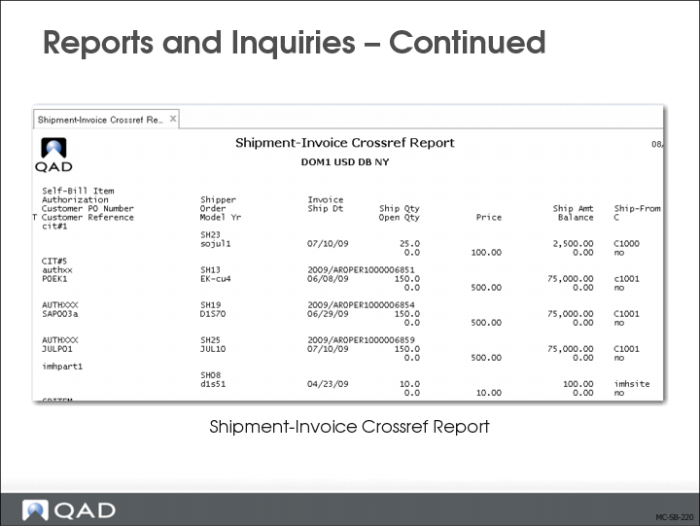
The shipment-invoice cross-reference structure holds the map between shipment-related details such as shipper number or authorization number and associated QAD invoice numbers.
Shipment-Invoice Crossref Report (27.6.12.15) facilitates inquiries into the self-bill cross-reference structures in the system.