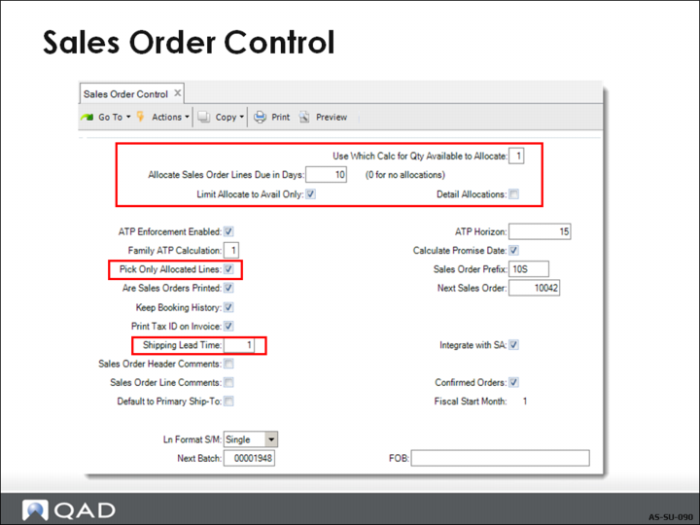
Sales Order Control
• Sales Order Control contains settings that affect
• How the items are allocated
• When the items are allocated
• How they should be handled and invoiced
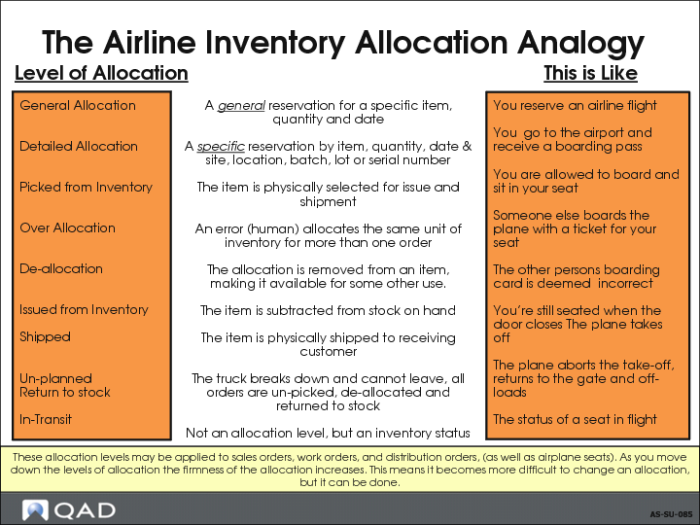
Airline Inventory Allocation Analogy
• Types of Allocations
• Definitions of each type
• Comparison to allocating a flight on an airline
Sales Order Control
Set Allocations defaults for quantity available to allocate, limit allocations to only available, pick only allocated lines, detail or general allocations, and due dates
Exercise: Standard Setup
Standard Shipping Setup
In this exercise, you initialize Inventory Control and Sales Order Control for allocations.
1 Use Inventory Control (3.24) to set up the picking logic: Inventory is allocated and picked by location by ascending order.
Field | Data |
Default Site | 10-300 |
Picking Order | 1 |
Ascending or Descending | Ascending |
2 Use Sales Order Control (7.1.24) to verify the following settings:
• Inventory is automatically allocated to all orders due within three days of order entry.
• Only on-hand inventory that has not been allocated to other orders should be considered available for allocations.
• Detail Allocations are not required.
Field | Data |
Use Which calc for Qty Available to Allocate | 1 |
Allocate Sales Order Lines due in Days | 3 |
Limit Allocate to Avail Only | Yes |
Detail Allocations | No |
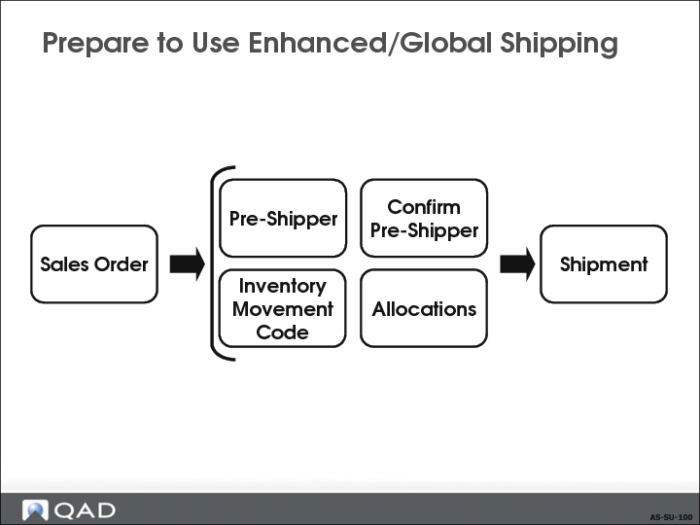
Prepare to Use Enhanced/Global Shipping
• Enhanced Shipping uses Pre-Shippers and/or Shippers
• Containers are optional
• Inventory Movement codes are optional
• Global Shipping requires
• Default pre-shipper, shipper, and master bill of lading sequence IDs and document formats Container/Shipper Control (7.9.24)
• Inventory movement codes
• Shipment information for receipt processing
• Specification whether maintenance of sales order trailer amounts is allowed