Set Up Number Range Management
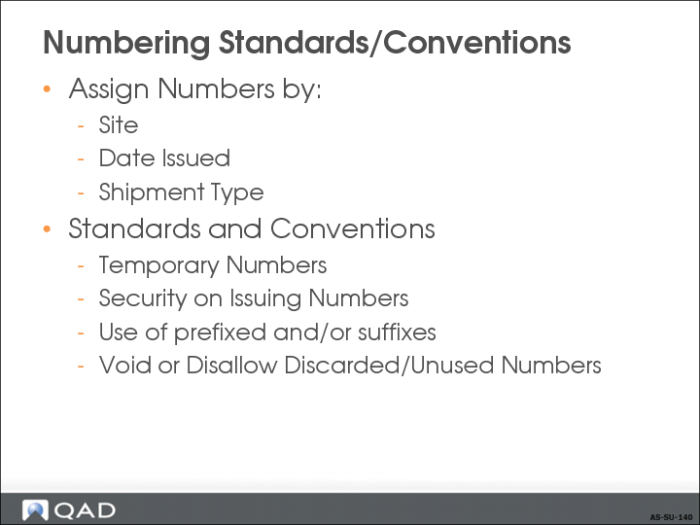
Some countries require that businesses adhere to local numbering standards and conventions when assigning numbers to documents, including shipping documents
Often for approval for tax filings or statutory reporting
Number Range Maintenance (NRM)
• Major Considerations
• Numbering Standards/Conventions
• Segments
• Sequence Number Maintenance
Numbering Standards/Conventions
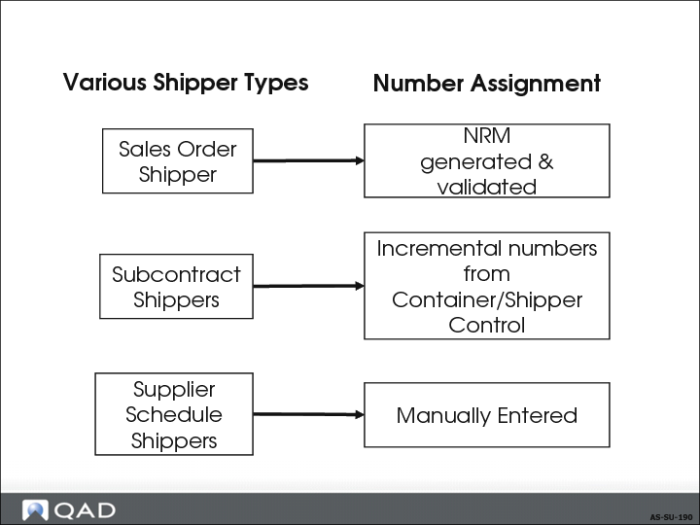
• NRM assigns or validates unique ID numbers to each sales order shipper, using predefined sequences
• QAD Enterprise Applications stores all shippers in the same table, using the combination of shipper number and ship-from site
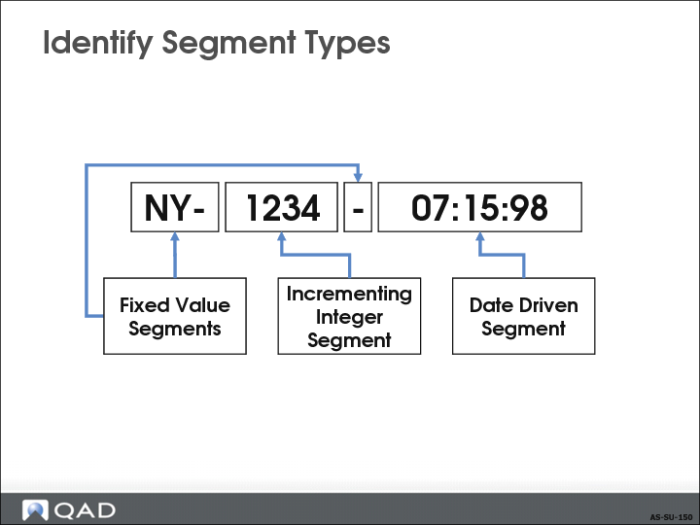
Segments
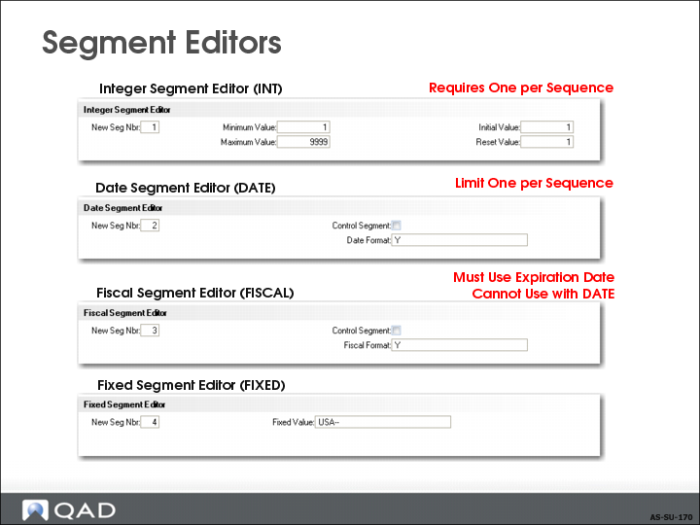
There are four types of segments
• Fixed Value
• Incrementing Integer
• Date Driven
• Fiscal
A type of date-driven segment where the change in the Incrementing Integer segment is tied to the fiscal period rather than the date
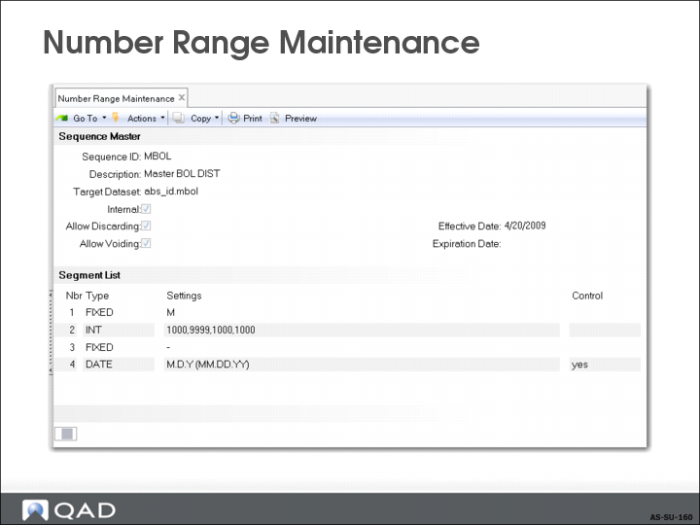
Number Range Maintenance
• Assign specific number range sequences to pre-shippers, shippers, and master bills of lading to comply with document numbering requirements
• Header information required:
• Assign sequence ID
• Description line (like Master BOL Seq ID)
• Target = field name
• Internal = Yes or No.
It specifies whether sequence numbers are defined by user or automatically by the system. If you choose “Internal”, the system generates a number. Otherwise, you enter a sequence.
Sequence Number Maintenance
• For each type of segment, a different editor frame controls the values of the segment, activated by selecting an editor from the bottom screen on the previous page
• Each sequence is required to have an incrementing integer segment
• Each sequence is limited to no more than one date or one fiscal segment
• Fiscal segments require an expiration date in the sequence header
Default Shipping Sequences
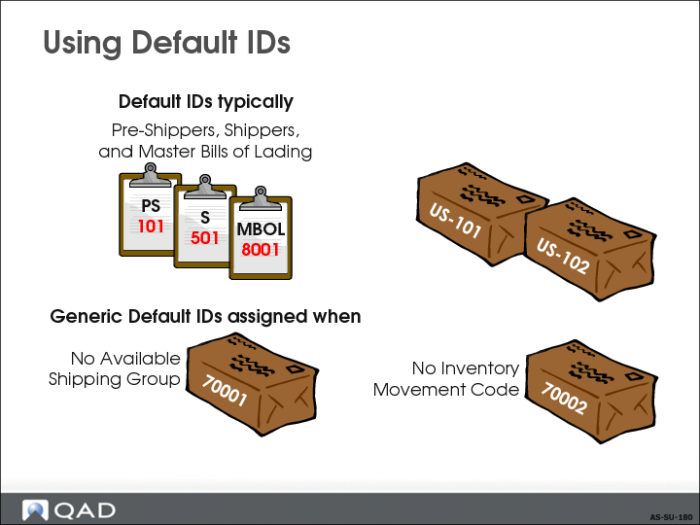
• Default NRM sequences are set in Container/Shipper Control (7.9.24) for shippers, pre-shippers, and master bills of lading
• Can be defined and associated with each shipping group
• For Global Shipping, the sequence numbers are typically assigned relative to shipping groups
• Generic default in the control program is only used for pre-shippers, shippers, and master bills of lading that do not use inventory movement codes or shipping groups
Other Shipper Types and Number Assignment
QAD Enterprise Applications stores all shippers in the same table, using the combination of shipper number and ship-from site.
Exercise: Number Ranges
Create Sequence Numbers for Global Shipping Documents
Your company uses the same shipping document for all kinds of shipments, including inventory transfers. You do not need to create separate sequences for non-sales shippers.
In this exercise, you create three internal sequence numbers to use with pre-shippers, shippers, and bills of lading. To meet statutory requirements, your company use numbers that are date-driven, and contain a numerical sequence. Gaps are permitted.
1 Use Number Range Maintenance (36.2.21.1) to create Pre-Shipper, Shipper, and Master Bill of Lading number sequence records. Assign the sequence master data from step a. Then assign the sequences in step b. After you finish record 1, continue to record 2 and record 3.
a Assign the following in the Sequence Master Frame.
Field | Record 1 | Record 2 | Record 3 |
Sequence ID | PRSHIP1 | SHIP1 | MBOL1 |
Description | Pre-shipper DIST | Shipper DIST | Master BOL DIST |
Target Dataset | abs_id.preship | abs_id.shipper | abs_id.mbol |
Internal | Yes | Yes | Yes |
Allow Discarding | Yes | Yes | Yes |
Allow Voiding | Yes | Yes | Yes |
Effective Date | [Today’s date] | [Today’s date] | [Today’s date] |
Expiration Date | [blank] | [blank] | [blank] |
b Define segments for each sequence. Create a sequential number that starts with P, S, or M for the pre-shipper, shipper, and master bill of lading respectively.
Assign a four-digit integer to follow the fixed segment. Separate the final segment from the integer with a fixed hyphen.
Assign the date as the final segment, as a control segment that resets the integer when the date changes.
Segment 1 Field | PRSHIP1 | SHIP1 | MBOL1 |
Nbr | 1 | 1 | 1 |
Type | FIXED | FIXED | FIXED |
New Seg Nbr | 1 | 1 | 1 |
Fixed Value | P | S | M |
Segment 2 Field | PRSHIP1 | SHIP1 | MBOL1 |
Nbr | 2 | 2 | 2 |
Type | INT | INT | INT |
New Seg Nbr | 2 | 2 | 2 |
Minimum Value | 1000 | 1000 | 1000 |
Maximum Value | 9999 | 9999 | 9999 |
Initial Value | 1000 | 1000 | 1000 |
Reset Value | 1000 | 1000 | 1000 |
Segment 3 Field | PRSHIP1 | SHIP1 | MBOL1 |
Nbr | 3 | 3 | 3 |
Type | FIXED | FIXED | FIXED |
New Seg Nbr | 3 | 3 | 3 |
Fixed Value | - (a hyphen) | - (a hyphen) | - (a hyphen) |
Segment 4 Field | PRSHIP1 | SHIP1 | MBOL1 |
Nbr | 4 | 4 | 4 |
Type | DATE | DATE | DATE |
New Seg Nbr | 4 | 4 | 4 |
Control Segment | YES | YES | YES |
Date Format | M.D.Y. | M.D.Y. | M.D.Y. |
Quick Review: What is the significance of making it a control segment?
2 Use Sequence Number History Report (36.2.21.13) to generate a Sequence Number History Report to view the sequence definition, which sequence numbers have been used, and which sequence numbers have not been used, including gaps. This report helps identify missing documents by reporting sequence numbers that are not recorded in the sequence history.
3 If you wanted to use a different shipper document format with its own numbering for non-sales shippers (such as transfers between manufacturing and distribution sites) what would be required?
______________________________________________________________________
______________________________________________________________________
______________________________________________________________________
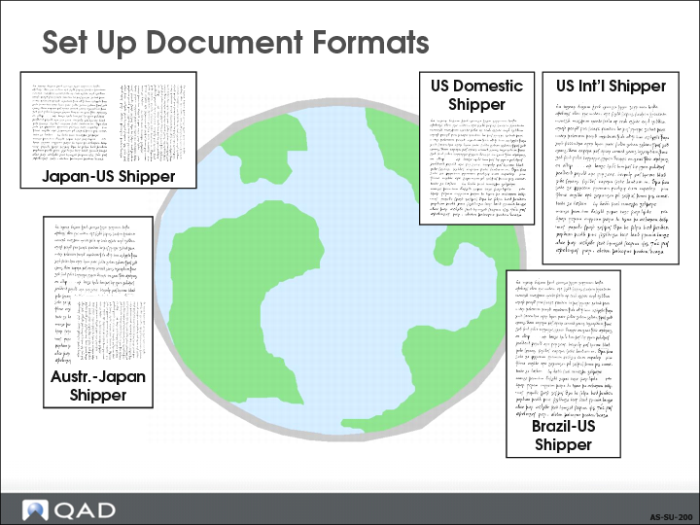
Set Up Document Formats
• Document formats for shippers and master bills of lading identify any special processing and printing requirements.
• Some countries require the use of specific documents and document formats when shipping goods.