Document Format Maintenance
• Create multiple document formats for different shippers, bills of lading, or master bills of lading.
• Set default document format in Container/Shipper Control (7.9.24).
Default is used for shippers without inventory movement codes or with no available shipping group, and for master bills of lading. It can also be assigned to inventory movement codes within shipping group.
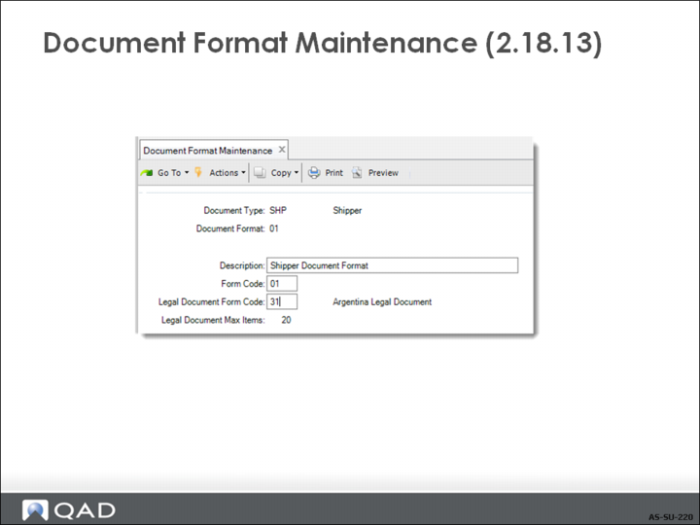
Document Format Maintenance
Document Type
SHP for shippers; MB for master bills of lading
Form Code
Required field: 1-2 character code identifying requirements for processing and printing
Legal Document Form Code
Enter a two-digit numeric form code that uniquely identifies a country-specific legal document type. When you enter a valid form code, the legal document type description appears next to the form code. Refer to
Work With Legal Documents for more details.
Exercise: Set Up Allocations and Shipping
Create Document Formats
Use Document Format Maintenance (2.18.13) to create a document format for general shipments.
Field | Data |
Document Type | SHP |
Document Format | SHP |
Description | General Shipper |
Form Code | 01 |
Legal Document Form Code | [blank] |
Set Up Inventory Movement Codes
• A common business practice in many countries and a legal requirement in others
• Further identify the reason for a transaction, as well as the type of transaction
• Optional in the Standard and Enhanced shipping methods, required in global shipping