Container/Shipper Control
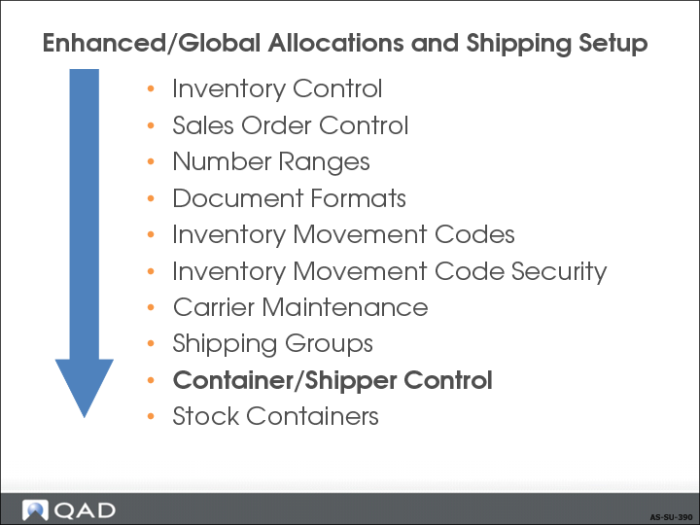
• Must have Number Range Management set up before this control program
• Requiring Inventory Movement codes turns on Global Shipping
Container/Shipper Control
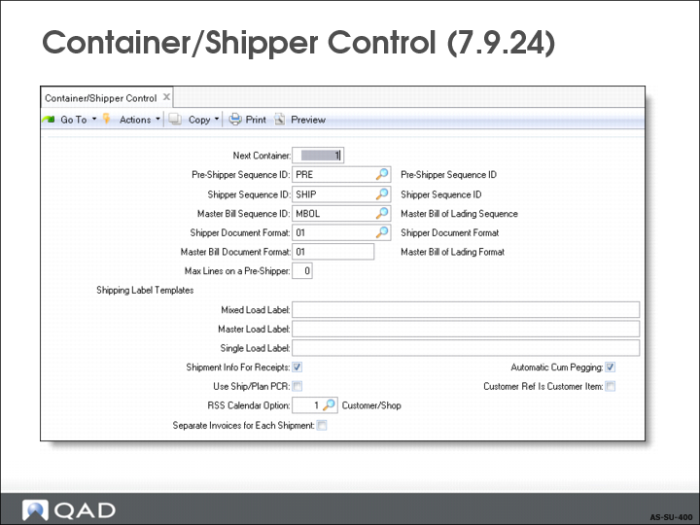
Pre-Shipper Sequence ID, Shipper Sequence ID
The NRM sequence codes used for pre-shippers and shippers when there is no inventory movement code or shipping group.
Master Bill Sequence ID
The NRM sequence code used for master bills of lading when there is no shipping group.
Shipper Document Format
Document format code applicable to pre-shippers/shippers and master bills of lading for when there is no inventory movement code or shipping group.
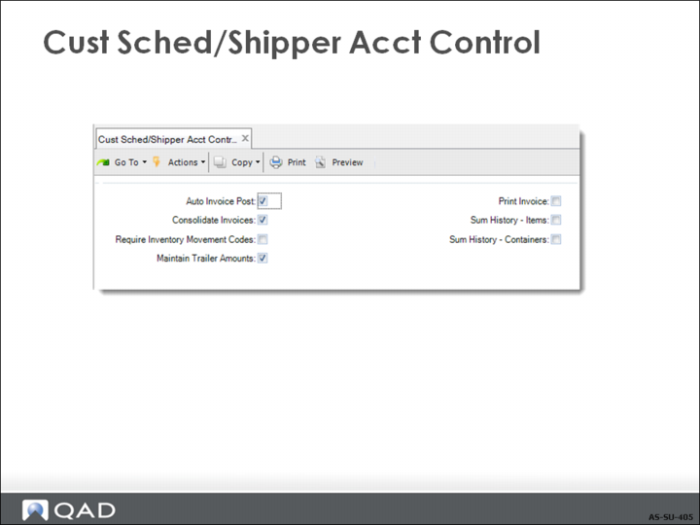
Auto Invoice Post:
This field sets the default value for the Auto Inv Post field in Customer Scheduled Order Maintenance and the Post Invoice field in Pre-Shipper/Shipper Confirm.
Consolidate Invoices:
Sets the default value for the corresponding field in Pre-Shipper/Shipper Confirm.
Require Inventory Movement Codes
This field indicates whether inventory movement codes are required for newly created pre-shippers and shippers. If you use movement codes and shipping groups, set this field to Yes to ensure that they are always applied. Set this field to be No if you are not using advanced shipping features or if the setup of inventory movement codes and shipping groups is not complete. The default is No.
Exercise: Container/Shipper Control
Set Up Container/Shipper Control Settings
In this exercise, you determine the default sequence codes for shippers, pre-shippers, and master bills of lading.
1 Your company requires global shipping. Use Cust Sched/Shipper Acct Control (36.9.7) to set Require Inventory Movement Codes to Yes.
2 Make the following changes to Container/Shipper Control (7.9.24).
a Assign the sequence codes you created in the previous exercise as defaults.
b Set Shipment Info for Receipts to No so that it is not necessary to enter shipment information during the entry of material receipts.