Container Workbench
For setting up standard (stock) containers, rather than creating containers at time of shipment.
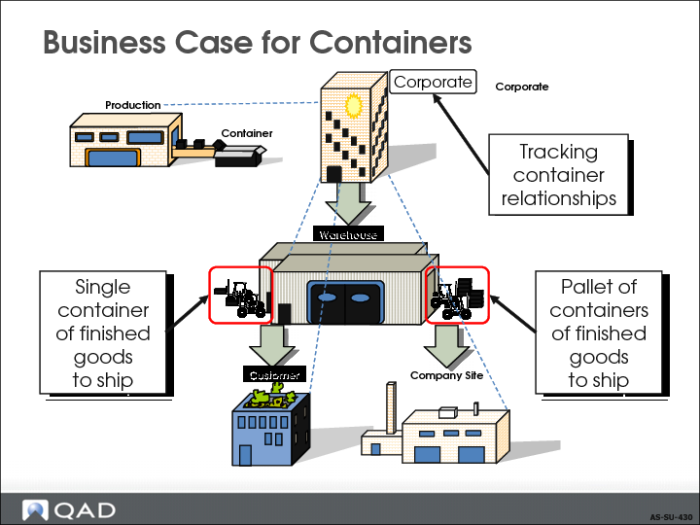
Business Case for Containers
• Types of containers and various uses
• Tracking inventory by containers
• Shipping finished goods in containers
• Shipping large quantities of containers or finished goods by large containers, such as pallets
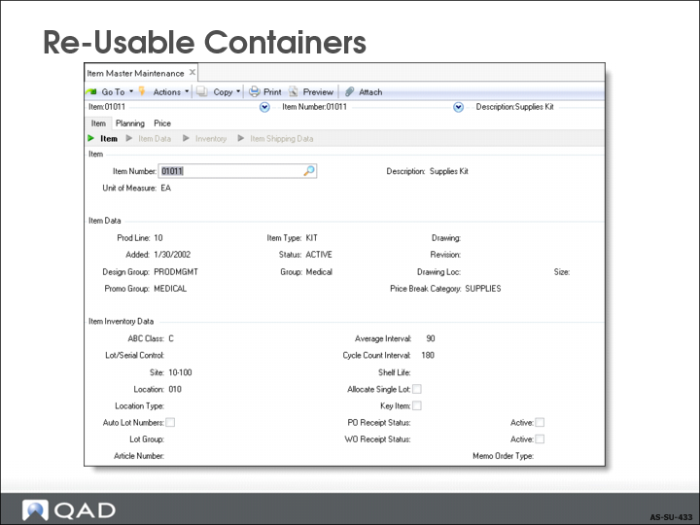
Reusable Containers
Set up containers such as pallets, air cargo containers, shipping containers, crates, or boxes that you want to control and or charge for as items in Item Master Maintenance. You probably want a product line code just for these types of items.
See
Process Container and Line Charges for additional functionality associated with containers.
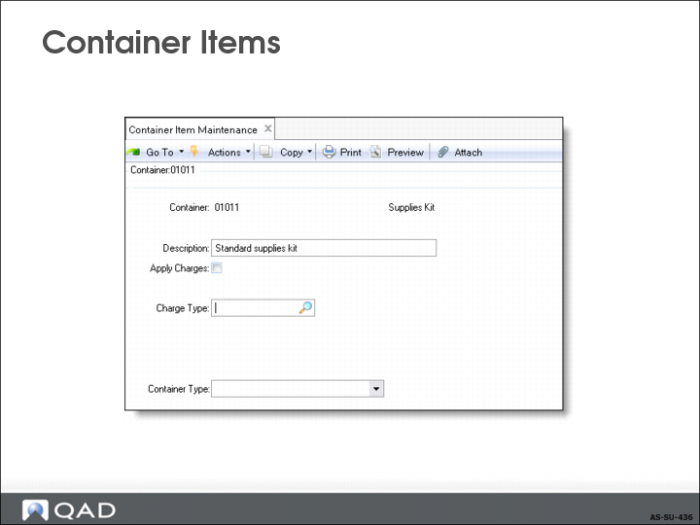
Container Items
Use Container Item Maintenance to assign other attributes to the container. This setup also allows you to look up only containers when in the container workbench rather than all items in the item master. The other attributes are covered in
Process Container and Line Charges.
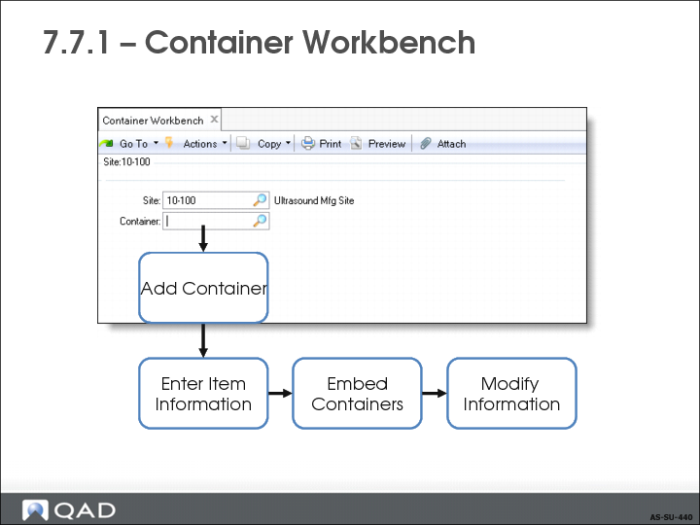
Container Workbench
Use Container Workbench (7.7.1) to:
• Add Container
• Enter Item Information
Optional Steps
• Embed Containers within other containers
• Modify existing container data
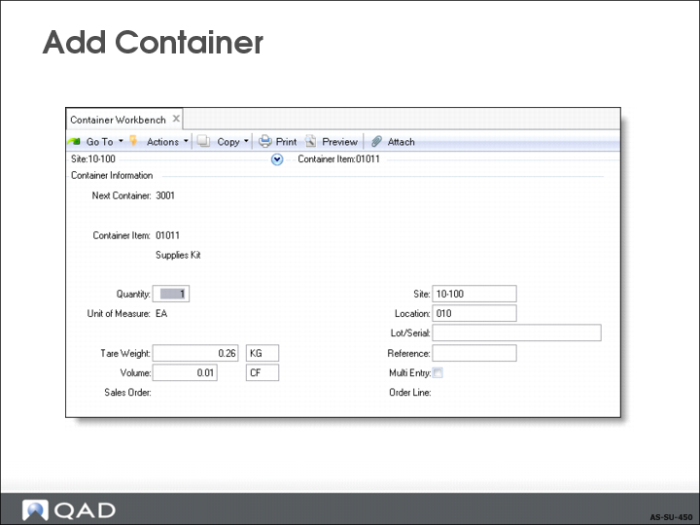
Add Container
In the new record frame:
• Specify next container number to use, or allow default from control program.
• If using containers defined in the item master, enter the container item number, how many you are using, and the location they came from.
• Advance to line item frame
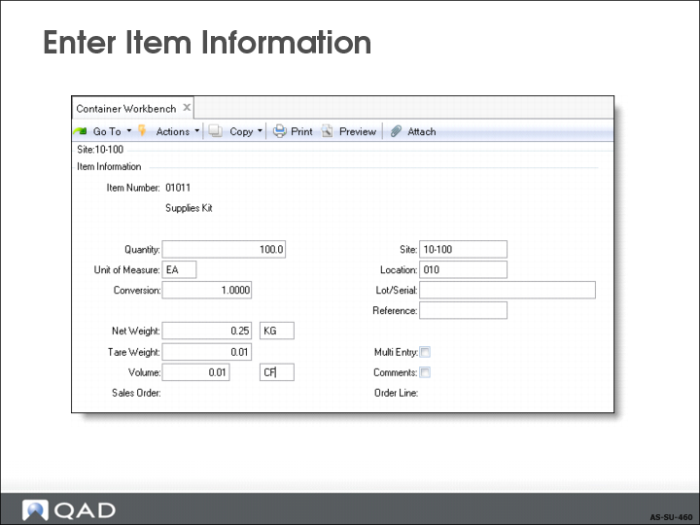
Enter Item Information
Required fields are Item Number, Quantity, Site and Location.
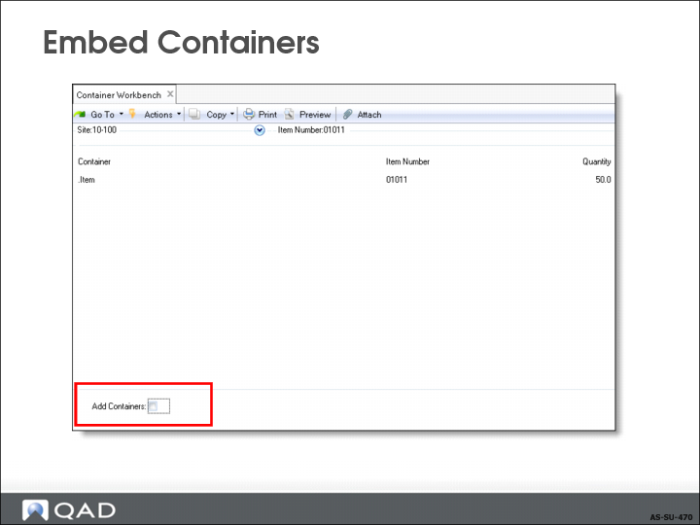
Embed Containers
Container Workbench allows you to store one container in another:
• Set Add Containers to Yes to embed containers within containers for multi-hierarchies.
• Add Containers to No to allow only single-level containers.
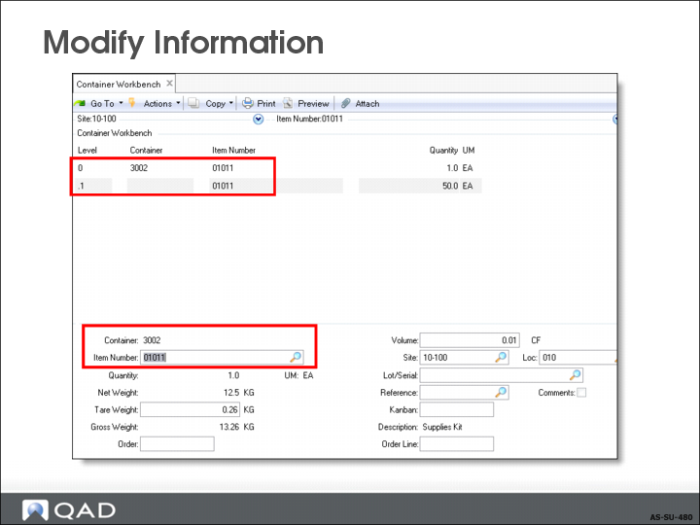
Modify Information
• Use to modify standard containers for a specific shipment.
• Use to modify specific containers when changes have been made while staging the shipment.