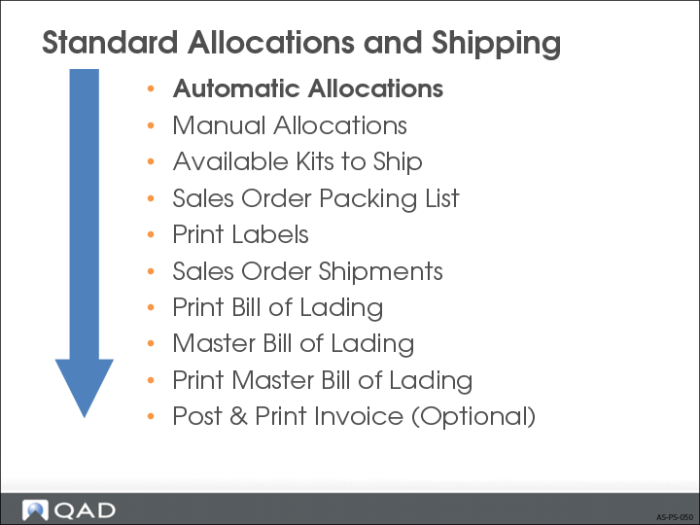
Automatic Allocations
• General allocations allocate the required quantity of an item.
• Detail allocations specify the site, locations, lot/serial numbers, and lot references from which that quantity is to be allocated.
• Detail allocations are automatically created or generated when sales orders, distribution orders, or RMA packing lists and work order picklist print.
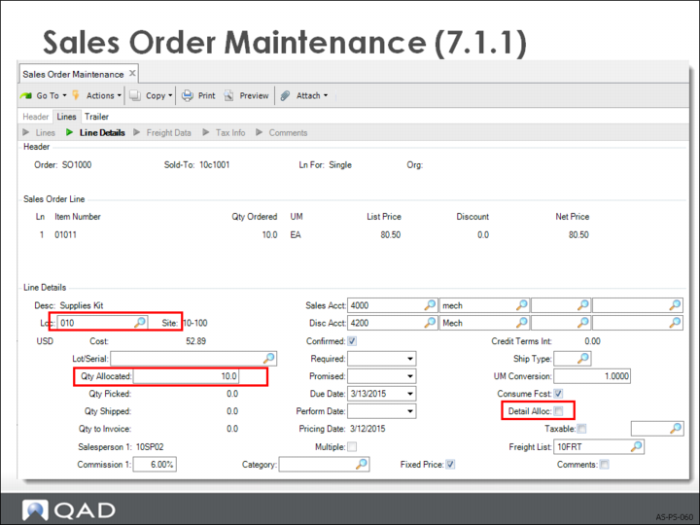
Sales Order Maintenance
• If Detail Allocations field = No, sales order generates an automatic general allocation.
• Lead time field specifies the number of calendar days until the cutoff date for allocating items.
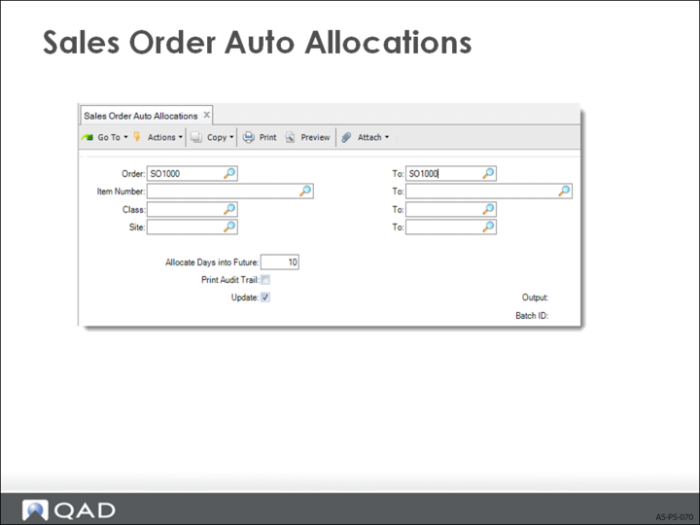
Sales Order Auto Allocations
• General allocations for any orders due within some days.
• Can be run by customer class, allocating scarce inventory to your best customers first.
• Use for allocating both RMA issue lines and sales orders0.
• Typically used to “Sweep Allocate” blocks of orders all at once.
• Cannot automatically allocate a primary Enterprise Material Transfer (EMT) sales order from this menu.
• To look for shortages, use Update = No to print without updating the records.