Pre-Shipper/Shipper Workbench
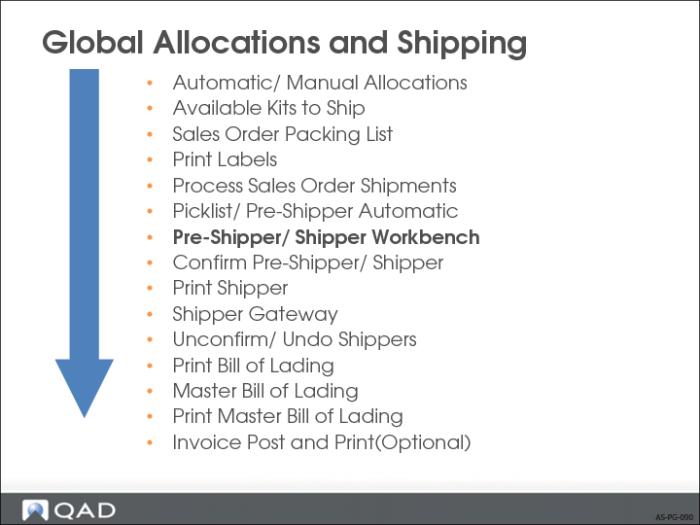
• The system makes a distinction between pre-shippers and shippers
• To number shipments consecutively:
• Always create pre-shippers
• Using Pre-Shipper/Shipper Print (7.9.4) transforms the pre-shipper into a shipper
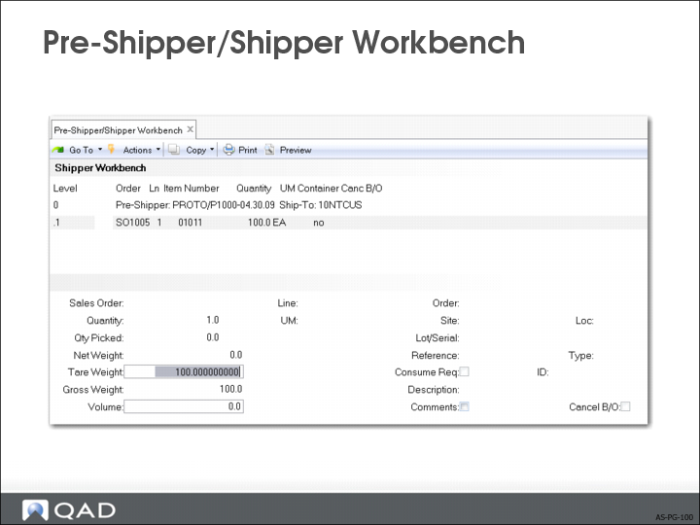
Pre-Shipper/Shipper Workbench
• At the first screen, identify the pre-shipper/shipper
Enter information regarding the carrier
• Merge other pre-shippers with this pre-shipper/shipper (optional)
• Enter Carrier Shipper Reference here, the tracking number from the Carrier
Rolls information from here into the Bill of Lading
• Add and delete items/containers
• Modify various data items for the item/container records
Convert Pre-Shipper/Confirm Shipper
If you did not assign a shipper number to a pre-shipper at printing time, the system always assigns this number during Pre-Shipper/Shipper Confirm.