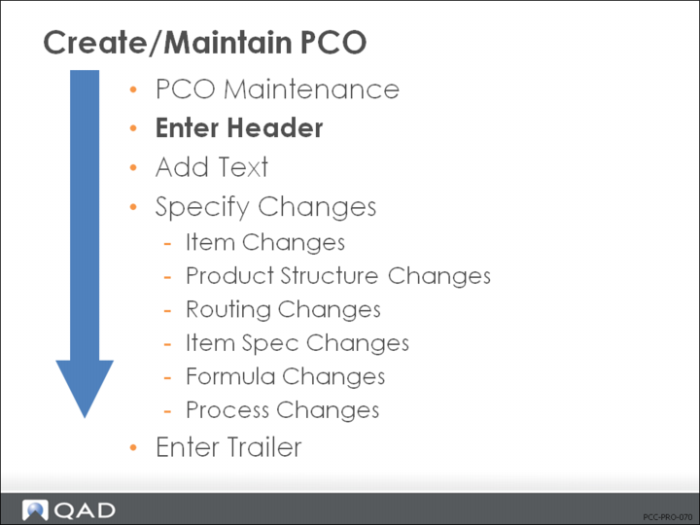
Enter Header
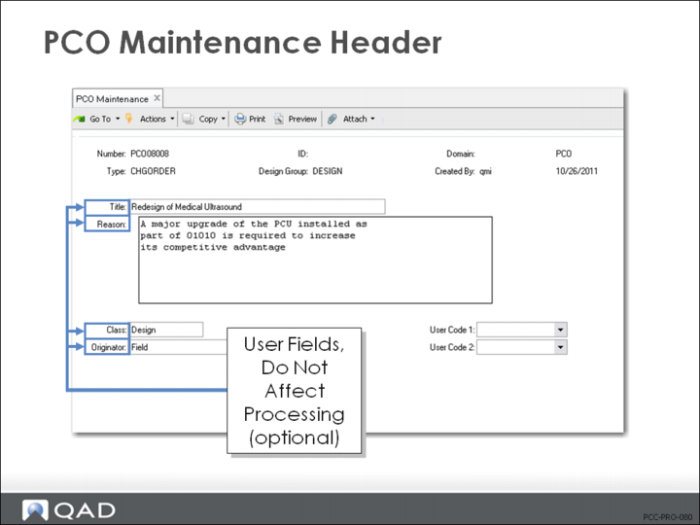
• Number the PCO document
• Identify type and design group
• Add any user-specific information
PCO Maintenance (1.9.2.13)
• Number is filled in automatically if PCC Control (1.9.24) is set for Autonumbering
• Break up large PCOs by assigning multiple PCOs with the same number and different IDs
• Type and Design Group will determine approval cycle, distribution group, and autonumbering for the PCO number (if applicable)
• The user-defined fields (highlighted in the picture above) do not affect processing and are optional fields
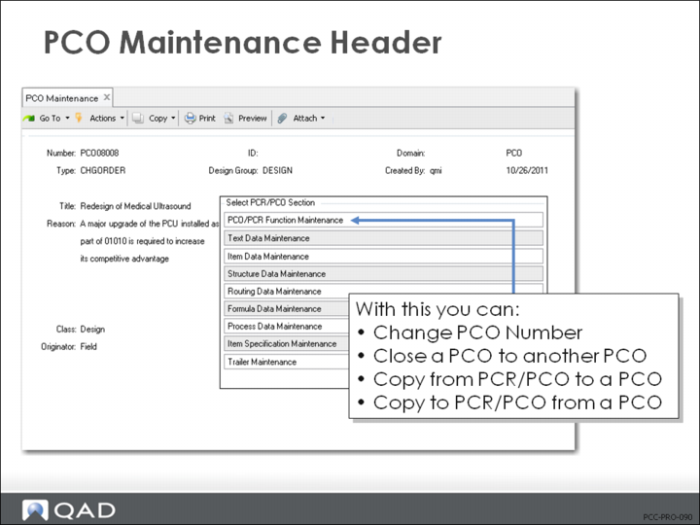
Select PCR/PCO Function Maintenance
• A section menu allows you to complete other parts of the PCO
• Only enabled processes appear on the section menu
• Accessing PCO/PCR Function Maintenance allows you to
• Change a PCO Number
• Close a PCO to another PCO
• Copy either to or from PCR/PCO to or from another PCO