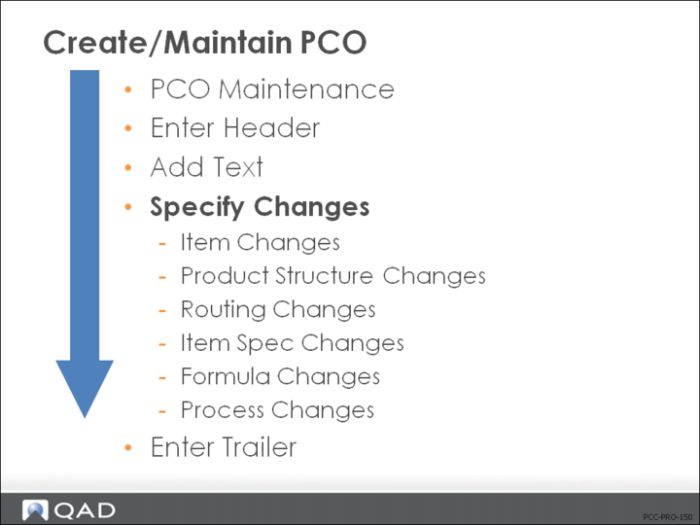
Specify Changes
Identify the proposed changes considered on this PCO.
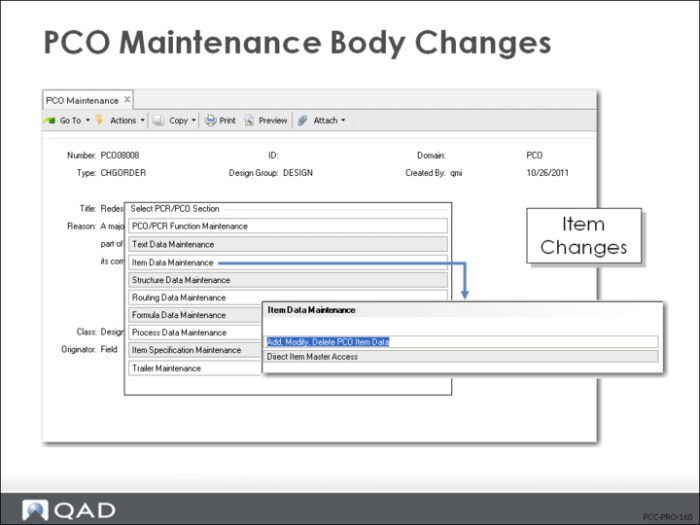
Item Data Maintenance
• Proposed Item Master changes
• Directly affects production tables
• Possibly to enter new item numbers with Direct Item Master Access, rather than Item Data Maintenance (1.4.3), as part of a PCO
Note: Some companies require all Item Data Maintenance to be maintained through the PCC function, not through Item Data Maintenance (1.4.3).
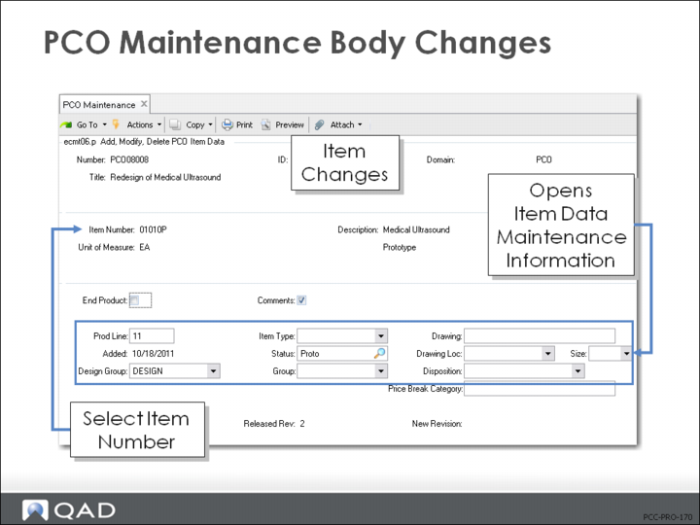
Item Data Maintenance — Add, Modify, Delete PCO Data
• Change existing items
• Only one PCO per item
• Does not support
• Item-Site data
• Item Planning data
• Inventory data
• Cost and price data
Exercise: Create a PCO with Item Changes
Important: The data used in these exercises might not be the same as the data shown in the screen captures in this lesson. You must have completed all the setup exercises before you can work on the processing exercises.
In the Item Master there are three types of Batteries: 60021,60022, and 60023. They are in product line 20, Electronic Products. Your company procedures require you to route the changes through a PCO.
1 Use PCO Maintenance (1.9.2.13) to create a new PCO to route these proposed changes to the Item Master.
Let QAD EE assign the PCO number. The number will be assigned when you complete the Type and Design group fields and click Next.
2 Advance to the Type field and enter the following:
Field | Data |
Type | PCO |
Design Group | DESIGN |
3 Write down the PCO number assigned for later reference: ____________________
4 Title and Reason fields are optional. Leave them blank, or create a simple description for this PCO:
Field | Data |
Title | Change Product Line |
Reason | All Batteries moving to Component Materials |
5 Select Item Data Maintenance and then choose Add, Modify, Delete PCO Item Data.
a Add items:
60021 | RevB |
60022 | RevB |
60023 | RevB |
b For each, set Comments to No.
c Change the Product Line on each to 20.
d Verify the Item Type for each is = ELEC, and Group = ELECTRON. Edit if necessary.
6 Click Back, choose Trailer Maintenance.
a Using the Mandatory field, assign an implementation date no later than the last day of next month.
b Disposition: UAI; click Next, click Back.
7 Use PCR/PCO Detail Inquiry (1.9.2.8) to review your PCO to verify that your changes were all included.