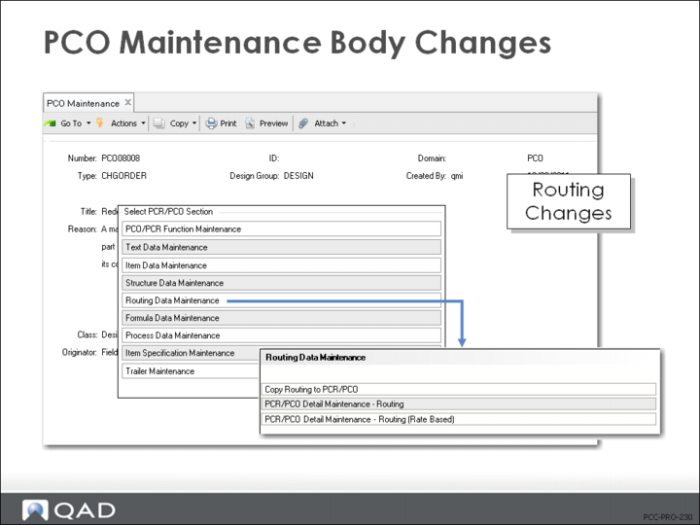
Routing Data Maintenance
• For both standard and rate-based routing
• Copy routings to the PCO
• Edit routings with Detail Maintenance
• Both standard routings and routings that are rate based
Note: Processes are not maintained with this function
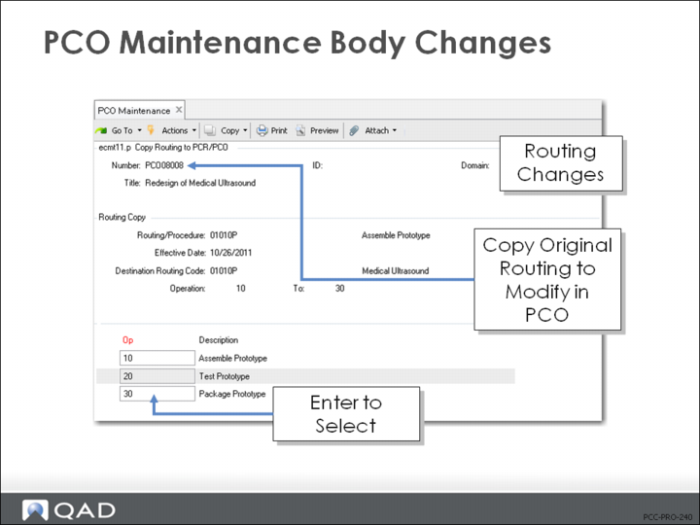
Copy Routing to PCR/PCO
• Start with a copy of existing routing to simplify editing
• Bring routing records into PCO for modification
• Display the operation for a routing to select which steps to include
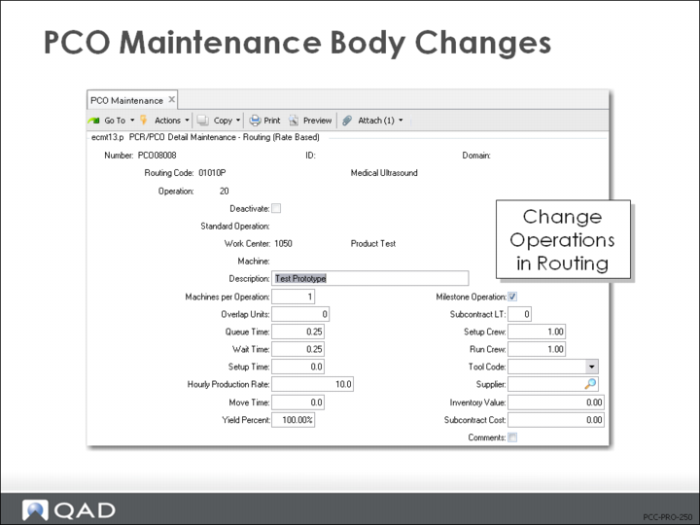
PCR/PCO Detail Maintenance – Routing
• Operations to a routing
• Delete operation steps
• Sets an end effective date when the PCO is incorporated
• Edit routing changes
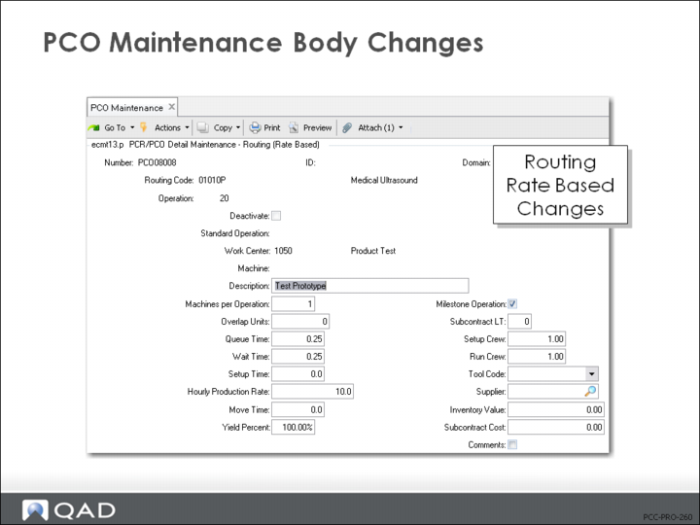
PCR/PCO Detail Maintenance – Routing (Rate Based)
Same differences as between standard Routing Maintenance (14.13.1) and Routing Maintenance (Rate Based) (14.13.2).
Exercise: Create a PCO with Routing Changes
1 In this exercise, use PCO Maintenance (1.9.2.13) to modify the routing for the 50001 Probe Unit – 10 Mhz assembly to add a standard rework step.
Let QAD EE assign the PCO number.
Field | Data |
Assign Type | PCO |
Design Group | DESIGN |
Write down the PCO number assigned for later reference: ____________________
2 Title and Reason fields are optional. Leave them blank, or create a simple description for this PCO:
Field | Data |
Title | Adding Rework |
Reason | 50001: Adding rework routing |
Continue past the header.
3 Select Routing Data Maintenance, then enter the following in PCR/PCO Detail Maintenance - Routing:
Field | Data |
Routing Code | 50001 |
Operation | 30 |
Work Center | 1005 |
Description | Rework as required |
Milestone Operation | No |
Comments | No |
4 Save the record without adding any information to the trailer. Click Back, then Back.
5 Use PCR/PCO Detail Inquiry (1.9.2.8) to review your PCO and verify that the changes were all included.