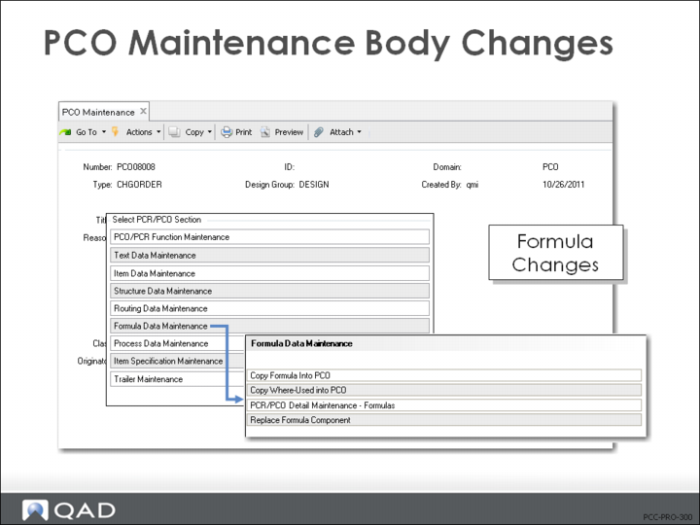
Formula Data Maintenance
• Use Enable PCC Formula Maintenance (15.22) to access formula options
• Use Formula Data Maintenance to
• Copy processes to the PCO
• Copy where used
• Maintain process records with Detail Maintenance
• Replace components in multiple bills
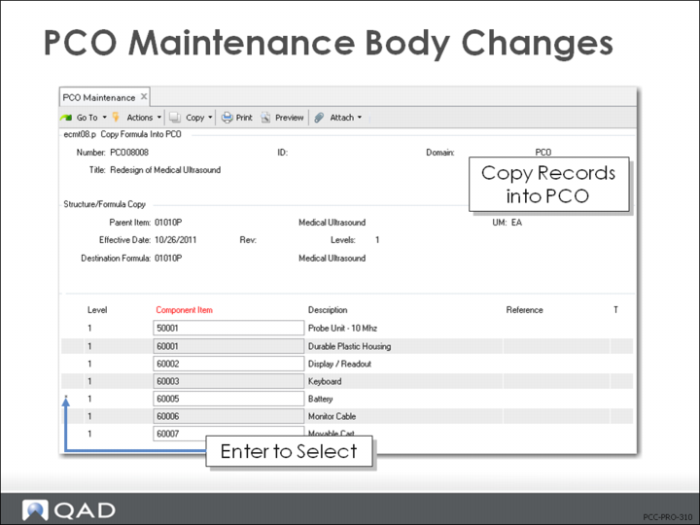
Copy Formula into PCO
• Specify Parent Item
• Displays current bill of material
• You select records to copy into PCO
• Modify any selected records with PCR/PCO Detail Maintenance – Formulas
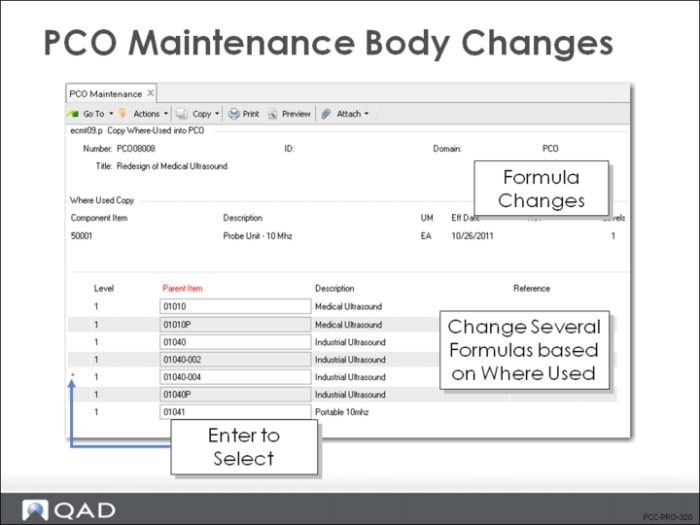
Copy Where Used into PCO
• Works the same as Copy Formula into PCO except
• Displays bill of material as indented where-used bill of material
• Useful to make the same change to several formulas
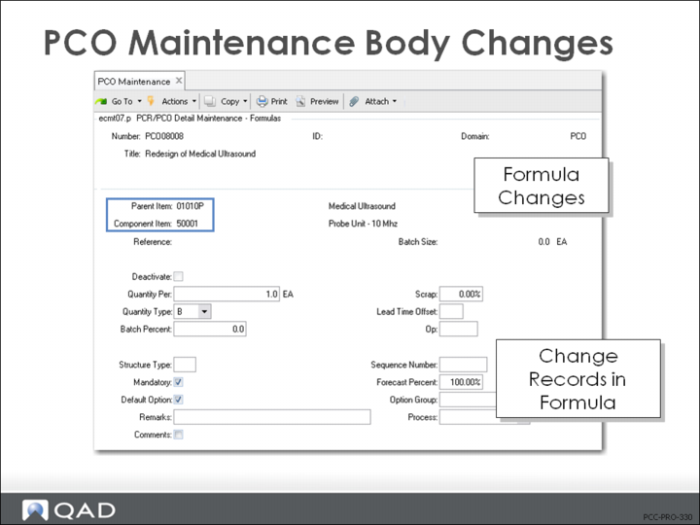
PCR/PCO Detail Maintenance – Formulas
• Add items to formulas
• Delete formula records
• Sets end effective date when PCO is incorporated
• Edit formula changes
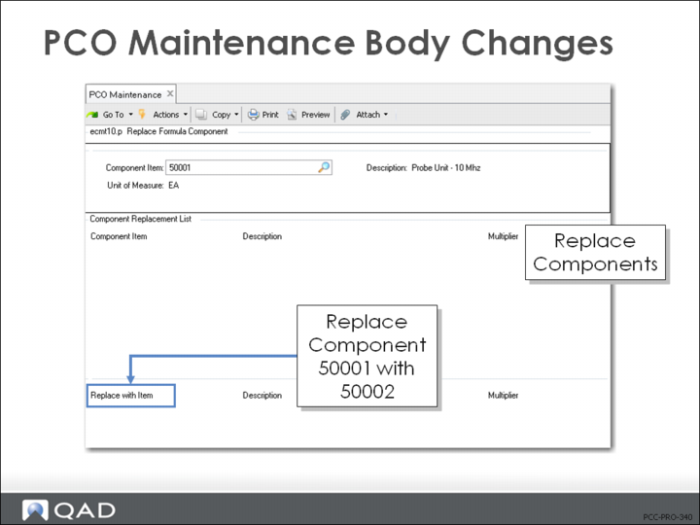
Replace Formula Component
• Replace one component with another across multiple bills of material
• Searches formula records already included in the PCO and marks the formulas as deactivated
• Adds new formulas with the new component in place of the old component
• Modified quantities are multiplied against the Multiplier value
• Other detailed formula data is copied from the existing record
Exercise: Create a PCO with Formula Changes (optional)
QMI’s Anesthetic Gel (70005)needs to have the Lidocaine increased in the formula because of patient complaints that it is not as effective as it should be.
1 Use Formula Maintenance (15.5) to delete the existing formula for (Parent) 70005, (Component) 80040.
a Rebuild the formula with Quantity Type P, and Batch Percent 5.5.
2 Use Formula Maintenance (15.5) to delete the existing formula for (Parent) 70005, (Component) 80012.
b Rebuild the formula with Quantity per Batch <blank>, Quantity Type P, Batch Percent 75.885.
3 Use PCO Maintenance (1.9.2.13) to create a PCO to indicate the reduction of one component and the increase of other components by percentage.
Let QAD EE assign the PCO number.
Field | Data |
Assign Type | PCO |
Design Group | DESIGN |
Write down the PCO number assigned for later reference: ____________________
4 Title and Reason fields are optional. Leave them blank, or create a simple description for this PCO:
Field | Data |
Title | Formula Change |
Reason | Modifying 70005 to use more 80040 Concentration strength from supplier increased. |
5 Continue past the header. Choose Formula Data Maintenance. From this menu select Copy Formula into PCO.
a Parent Item = 70005
b Select components 80040 and 80012 (an asterisk should appear next to each sequence).
6 Choose Formula Data Maintenance, then PCR/PCO Detail Maintenance – Formulas. Arrow down to access both records copied in the previous step.
a For 80040, change the Batch Percent from 5.5 to 5.6. click Next. The Quantity Per changes automatically.
b For 80012, change the Batch Percent from 75.885 to 75.785. Click Next. The Quantity Per changes automatically.
7 Save the record without adding any information to the trailer.
8 Use PCR/PCO Detail Inquiry (1.9.2.8) to review your PCO and verify that your changes were all included.