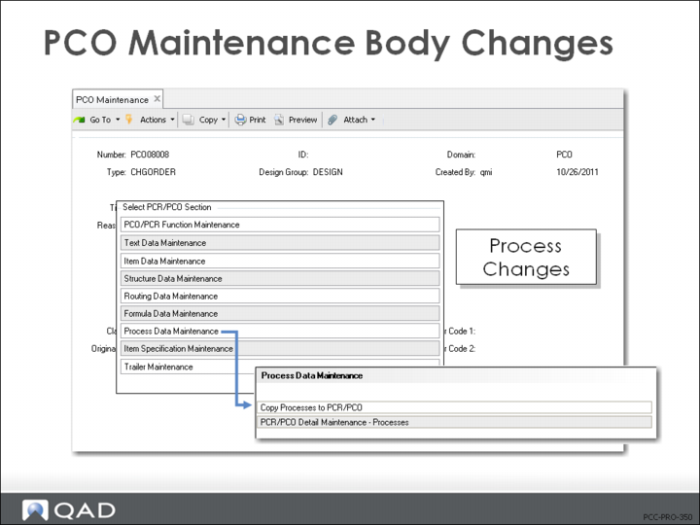
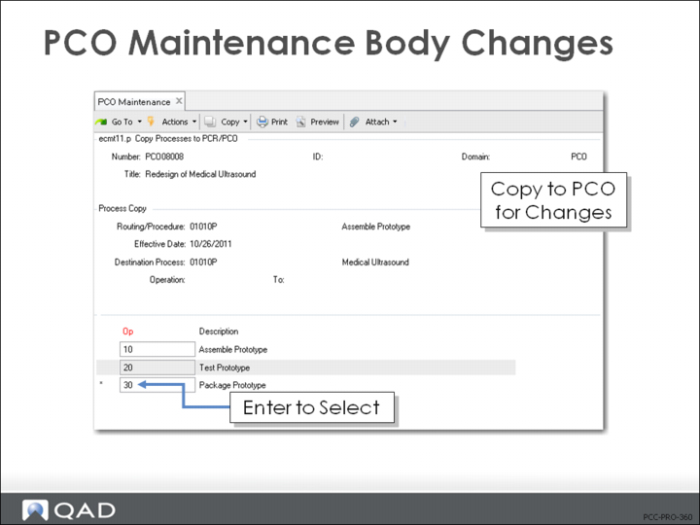
Copy Processes to PCR/PCO
• Copy processes
• Modify existing processes with Detail Maintenance
Note: Routings cannot be maintained with this function
• Use Routing Data Maintenance for routing processes
Copy Processes to PCR/PCO
• Copy process records to PCO for modification
• Displays operations and lets you select which steps to include
• Once the records are copied, use PCR/PCO Detail Maintenance – Processes to modify
• Start with a copy of existing processes to simplify editing
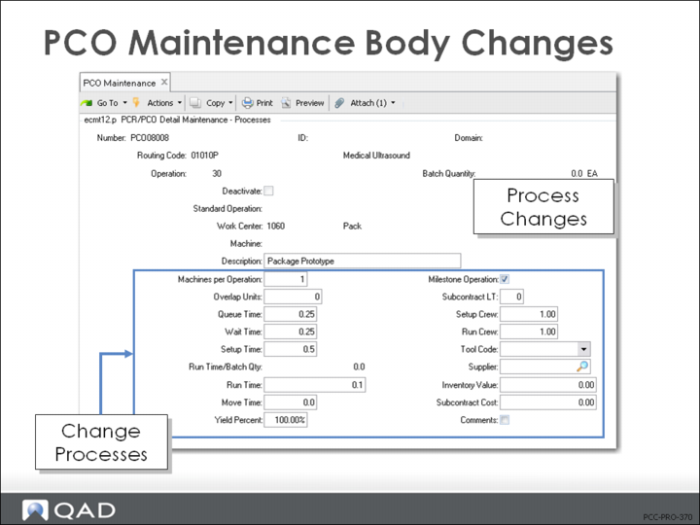
PCR/PCO Detail Maintenance – Processes
• Add operations to a process
• Deactivate operation steps
• Sets an end effective date when PCO is incorporated
• Edit process changes
Exercise: Create a PCO with Process Changes (optional)
1 The pill molding process has a scrap factor that has never been figured into the process. Select the process operation for the pill (05003) and use PCO Maintenance (1.9.2.13) to create a PCO for a yield of 98%.
Let QAD EE assign the PCO number.
Field | Data |
Assign Type | PCO |
Design Group | DESIGN |
Write down the PCO number assigned for later reference: ____________________
2 Title and Reason fields are optional. Leave them blank, or create a simple description for this PCO:
Field | Data |
Title | Process Change |
Reason | Modifying 05003 to change yield scrap factor of 2% |
3 Continue past the header. Choose Process Data Maintenance, then Copy Processes to PCR/PCO.
a Routing Code = 70050.
b Select process 60 (an asterisk should appear next to the process).
4 Return and choose Process Data Maintenance, then PCR/PCO Detail Maintenance – Processes. Arrow down to modify the record copies in the previous step.
a For 70050 operation 60, change the Yield Percent to 98%.
5 Save the record without adding any information to the trailer.
6 Use PCR/PCO Detail Inquiry (1.9.2.8) to review your PCO and verify that your changes were all included.