QAD Enterprise Edition Training Guides
>
Reporting Framework
>
Introduction
>
Viewer Screen
Viewer Screen
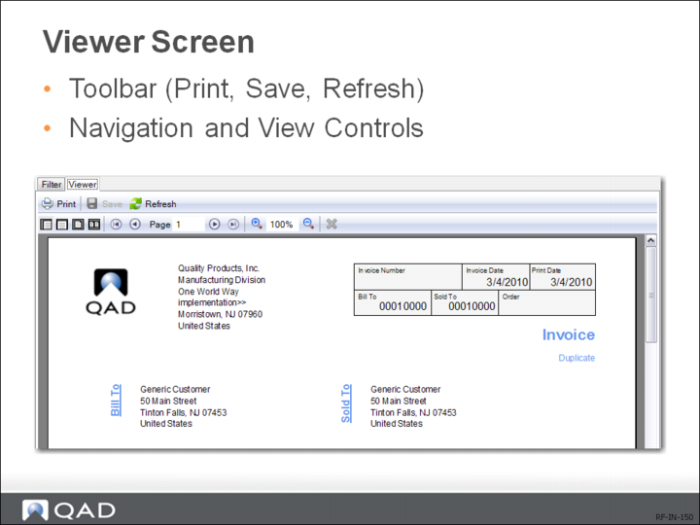
The Viewer screen includes the following options:
Print
Send the report to a printer.
Save
Save the report to a specified location.
Refresh
Regenerate the report using your last setting.
Actual Size
Display the report in its actual size.
Page Width
Fit the report to the width of the Viewer screen.
One Page
Display the report in a one-page view in the Viewer screen.
Two Pages
Display the report in a side-by-side two-page view in the Report Viewer window.
First Page
Jump to the first page.
Previous Page
Go to the previous page.
Next Page
Go to the next page.
Last Page
Jump to the last page.
Zoom In
Magnify the report preview size.
Size
Specify the exact report preview size.
Zoom Out
Decrease the report review size.
Cancel Rendering
Cancel rendering the report.