Using Report Resource Designer
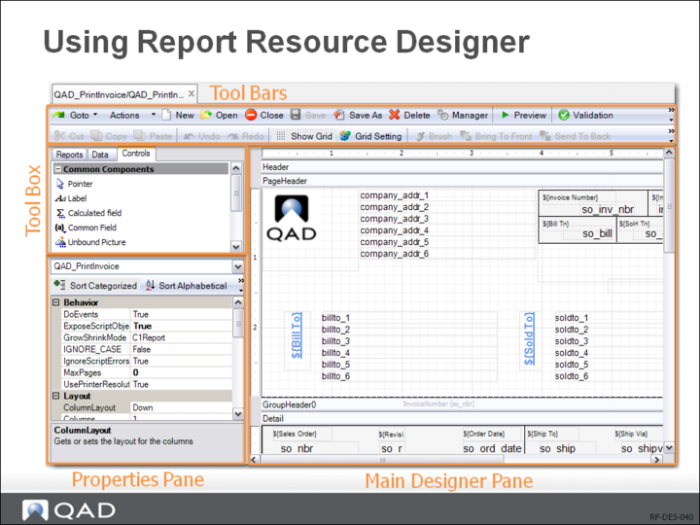
In the Report Designer, you can create, load, and delete report definition files, as well as edit them either in the WYSIWYG (What You See Is What You Get) or code edit mode.
Creating a New Report Definition: Click the New button on the Report Definition toolbar. Report Wizard takes you through the process of creating a basic report definition. Click the Save icon on the toolbar to save the definition as an XML file.
Loading an Existing Report Definition File: Click the Open button on the toolbar; then in the Select Report Definition window, double-click the report definition you want to load. The Select Report Definition window also let you enter search conditions to search for the report definition you want to load.