Review Work Order Control
Note: In QAD Enterprise Edition, financial control settings are updated separately from operational settings in Work Order Accounting Control. This functionality supports detailed segregation of duties assigned with role-based security. In QAD Standard Edition, all control settings are updated in Work Order Control.
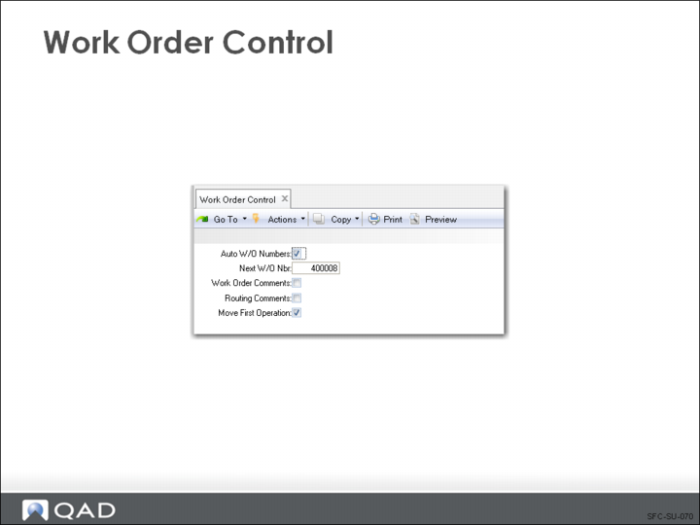
Work Order Control
Auto W/O Numbers
Indicates if the system assigns work order numbers automatically. If unchecked, the user must assign work order numbers manually.
Next W/O Number
If Auto Number is checked, determines the next system assigned number.
Work Order Comments
Indicates whether comments are normally entered for each work order. The setting of this field does not control whether comments can be entered; instead it sets the default for the Comments field during work order maintenance.
Routing Comments
Indicates whether comments are normally entered for each routing operation. The setting of this field does not control whether comments can be entered; instead it sets the default for the Comments field during routing maintenance.
Move First Operation
Indicates whether the work order release function sets the status of the first operation to Queue.
• Yes sets the status for the first operation to Queue upon work order release.
• Sometimes this action is inappropriate. For example, if a lengthy picking effort is required, the work order often is not ready as soon as it is released. In that case, set this field to No. Once the picking is complete, use the Operation Move function to change the status to Q (Queue).
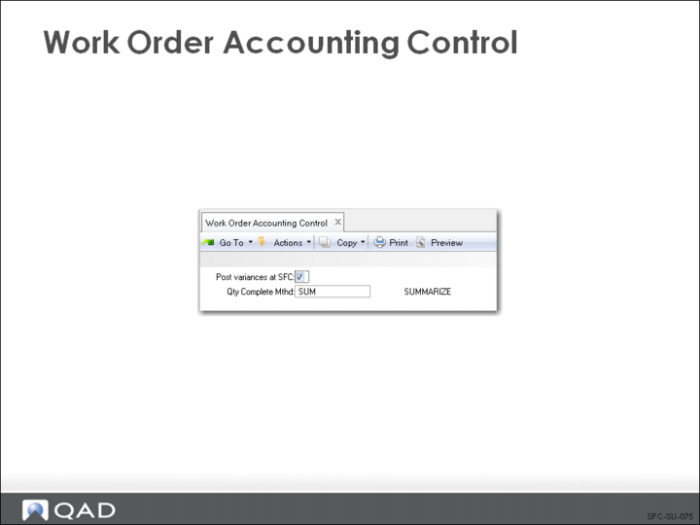
Work Order Accounting Control
Post Variances at SFC
Indicates whether variances are only calculated and posted at the time of work order receipt.
• Yes processes variances when labor is entered in SFC. No holds labor, burden, and usage variances until work order receipt.
• Setting this field to No reduces the number of GL transactions created when there are many shop floor labor transactions processed before material receipts are recorded.
• If you have long run times or if you are using SFC employee efficiency reports, set this field to No, suppressing variance calculations until finished product is received
Quality Complete Method
Specify the default method for Work Order Accounting Close to use to calculate the base process quantity complete for a joint order set. Valid values are SUM, SUMC, MAX, MIN, and ORD. You cannot leave this field blank.