Set Up Shop Floor Control
Settings in Shop Floor Control determine the format of labor feedback data.
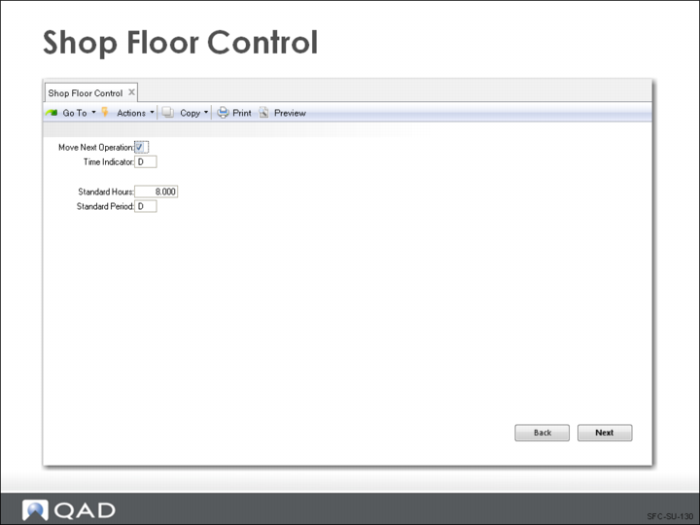
Shop Floor Control
Move Next Operation
If Yes, when an operation is reported as completed, the system automatically moves the work order to the next operation with status of Queue.
Time Indicator
Identifies how labor hours are normally reported. If set to D, labor time is entered in decimal hours; if set to H, labor time is entered in hours:minutes:seconds.
If you are using a shop floor data collection system, set this field based on the type of output that system produces
Standard Hours
This field shows the number of hours per period. Used to determine when labor hours represent overtime.
Standard Period
A code identifying the standard work period. The period can be day (D) or week (W).