Deleting and Archiving Posted SB Invoices
Use Advanced Self-Bill Delete/Archive to delete and archive the posted and matched self-billing invoices.
Note: You can delete or archive the self-billing invoices only when they are posted and matched. If the sales orders related to the self-billing invoices are already fully shipped, the sales orders are also deleted when you run Advanced Self-Bill Delete/Archive.
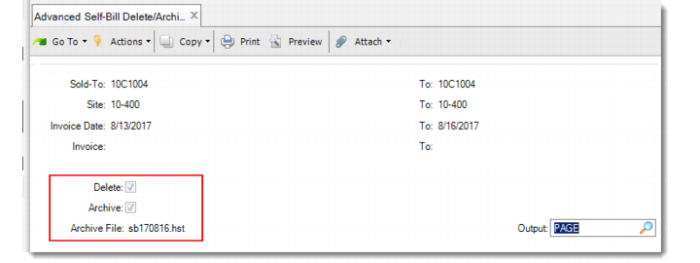
Advanced Self-Bill Delete/Archive
Use the selection criteria to specify the range of invoices to delete or archive.
• To delete the selected self-billing invoices, select Delete and leave the Archive field blank.
• To delete and archive the selected invoices, select both the Delete and Archive fields.
Note: You cannot archive self-billing invoices without selecting the Delete field.
The name of the archived file is shown at the bottom; for example, sb170816.hst.
The report for the archived invoice records is displayed after the process is done.