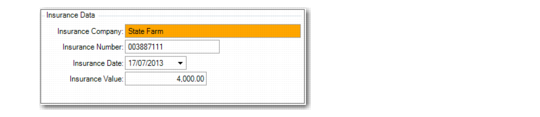
Insurance Data
Access this function by clicking Insur on the Option screen; then Update.
Use this function to set up insurance information for the asset, such as the insurance company, policy number, and the insurance value for the asset. Insurance data is for reference only.
Fixed Asset Maintenance, Insurance Data
Insurance Company
Optionally enter the name of the company that insures the asset.
Insurance Number
Optionally enter an insurance policy number for the asset.
Insurance Date
Optionally enter the date that insurance coverage begins or ends for the asset. This date depends on how your company records coverage dates.
Insurance Value
Optionally enter an insurance value or replacement cost of the asset.