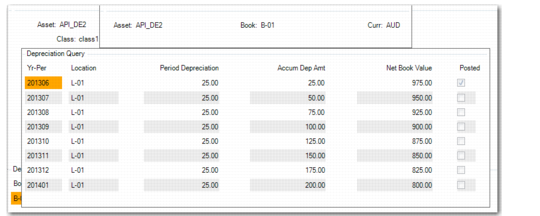
Depreciation Query
Access this function by choosing Audit on the Depreciation Books screen.
Use this function to view the original depreciation schedule and any adjustments. You can view the depreciation schedule in a rolled‑up or detailed version.
• The rolled‑up schedule displays the calculated depreciation amount.
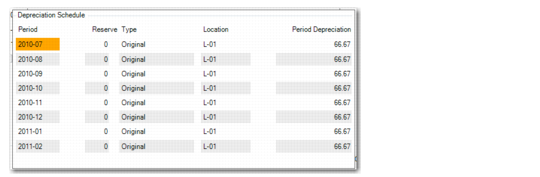
• The detailed schedule displays the original depreciation calculation and any adjustments.
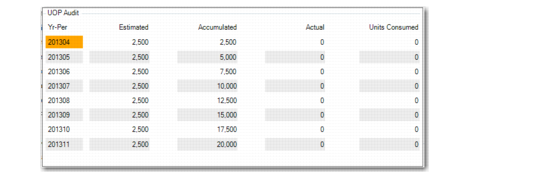
If you are using the units‑of‑production depreciation method, you can also view the estimated, actual, and estimated accumulated units for each period.
Fixed Asset Maintenance, Depreciation Query
Choose the Detail function to view the detailed depreciation schedule.
Fixed Asset Maintenance, Depreciation Schedule
Choose the UOP function to view the units‑of‑production (UOP) information.
Fixed Asset Maintenance, UOP Audit