Creating Fiscal Receipts Subject to Withholding Tax
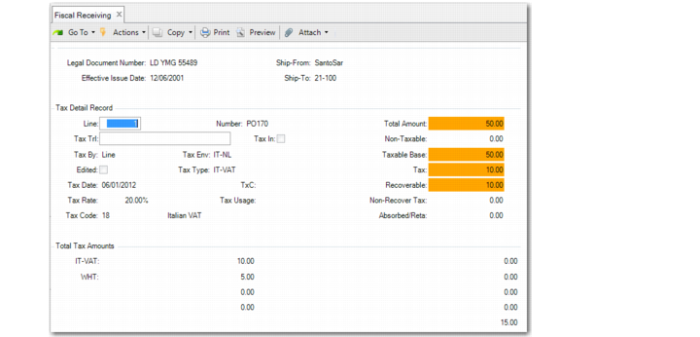
If fiscal receiving is activated by selecting Fiscal Confirm Required in Purchasing Control (5.24), withholding tax is enabled for the domain, the supplier is subject to withholding tax, and one or more withholding tax types are linked to the current tax environment; withholding tax is calculated and displayed in the trailer of Fiscal Receiving (5.20.1).
If the Update Tax Allowed field is selected in Tax Rate Maintenance, you can update the withholding tax amounts displayed in the trailer of Fiscal Receiving.
For more information on Fiscal Receiving, see
QAD Purchasing User Guide.
Fiscal Receiving, Trailer with Withholding Tax