Viewing Customer Invoices
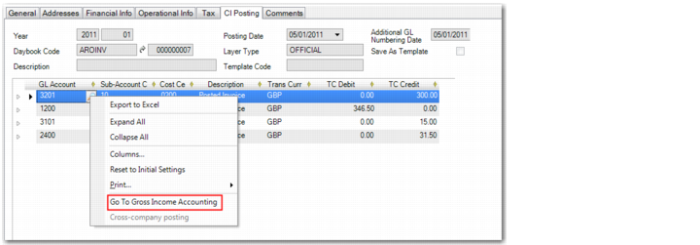
When customer invoices for which gross income accounting applies are posted to the general ledger, you can access the gross income accounting posting when viewing the posted invoice in Customer Invoice View (27.1.1.3). In the CI Posting tab of Customer Invoice View (27.1.1.3), right-click in the sales account posting line and click Go To Gross Income Accounting.
Customer Invoice View, CI Posting Tab
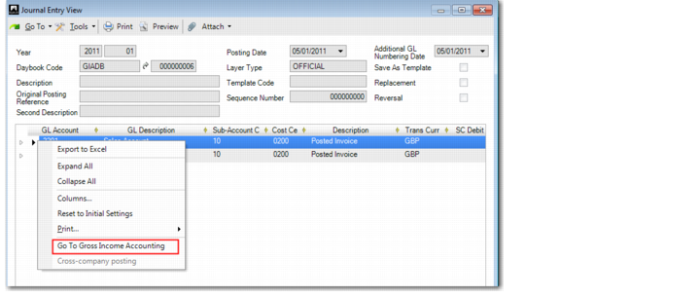
The gross income accounting posting then opens in Journal Entry View (25.13.1.3).
Journal Entry View, Gross Income Accounting Posting
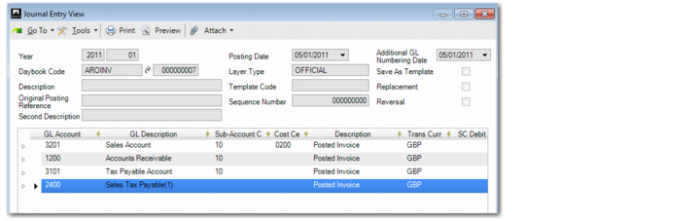
From the gross income accounting posting, you can right-click and select Go To Gross Income Accounting again to view the source sales posting.
Journal Entry View, Sales Posting