QAD 2017 Enterprise Edition
>
User Guides
>
Item Attributes and Quality Control
>
IAQ Setup
>
Set Up Quality Control
Set Up Quality Control
Quality Control File
Use this function to specify automatic quality order numbering, set the sequence identifier, and specify whether the system maintains non-test attribute data.
Follow these steps to set up the quality control parameters:
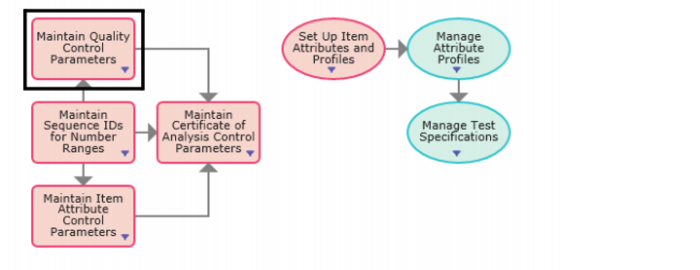
1 Select Maintain Quality Control Parameters from the Set Up Test Specifications and Quality process map.
Set Up Test Specifications and Quality Process Map
2 Enter the required information in the following fields:
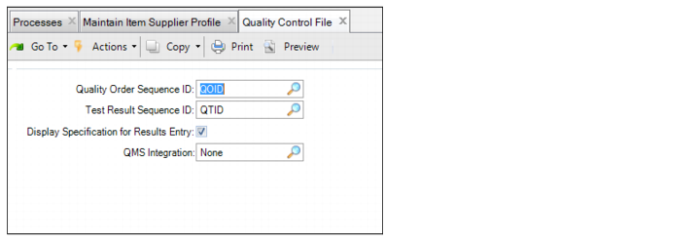
Quality Control File
Quality Order Sequence ID
Enter the NRM sequence code that determines the ID for quality orders. The system uses this code to generate sequence numbers for all quality orders. When setting up the sequence in NRM, use a ql_id target dataset. For information on setting up NRM sequences, see the
QAD System Administration User Guide.
Test Result Sequence ID
Enter the NRM sequence code that determines the ID for test records. The system uses this code to generate sequence numbers for all test records. When setting up the sequence in NRM, use a qltr_id target dataset. For information on setting up NRM sequences, see
QAD System Administration User Guide.
Display Specification for Results Entry
Select this check box so that the system displays the specification description when entering attribute values for a test record or quality order.
QMS Integration
Select this check box to activate the integration between the QAD EE Quality module and the QAD QMS NCR/CAPA module.