Verify That Lot Attribute Order Values Have Been Entered
Before completing a lot attribute order, verify that all the attribute values have been entered.
After values have been entered, the results are displayed in the collection.
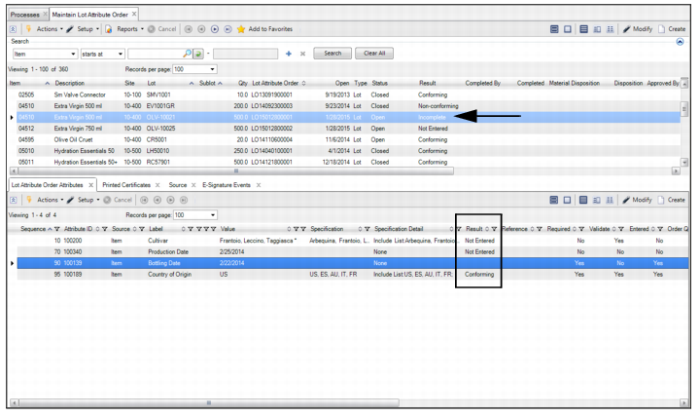
In the following example, the Result field in the top browse is Incomplete because there is at least one attribute value (Required = Yes) that has not been entered. The Result field in the attributes tab displays various results (conforming, blank, and not entered) of each of the attribute values that were entered.
Checking Results of a Lot Attribute Order